


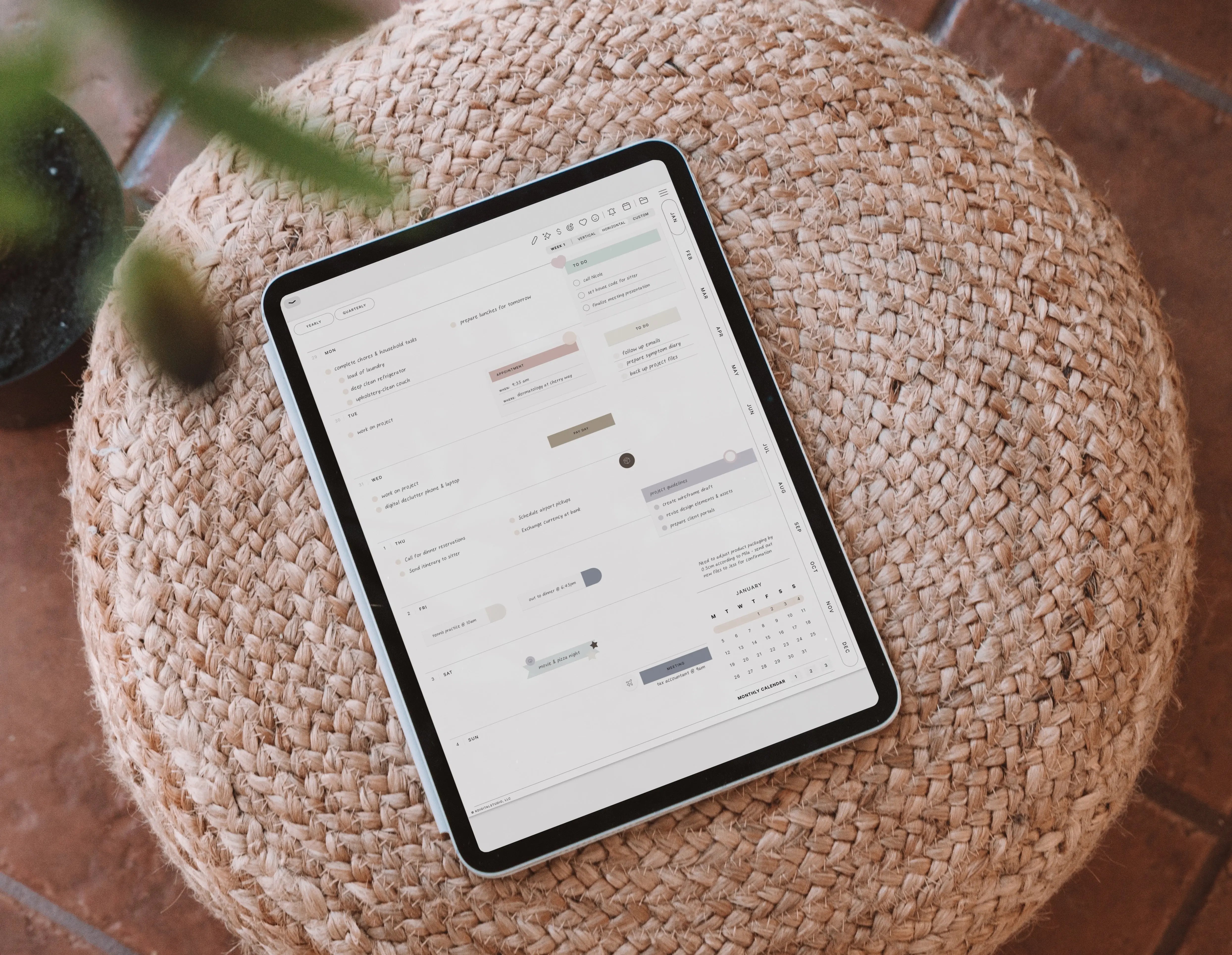
✨ What Sets Cyberry 2026 Apart from Other Digital Planners
When it comes to digital planning, there’s no shortage of options out there. From minimalist layouts to feature-packed planners, the choices can feel endless. But Cyberry 2026 was never meant to blend in. It’s designed to stand out — not just in how it looks, but in how it feels to use.
Built for the creative-minded planner, Cyberry combines intuitive tech, beautiful design, and an unmistakable sense of flow. Here’s what truly sets it apart from other digital planners on the market this year.
🌿 1. A Design Philosophy Rooted in Flow
Most digital planners mimic paper — Cyberry 2026 reimagines it. Every page is intentionally designed to keep you in flow, balancing structure and creativity. The layouts feel clean and airy, yet functional enough to handle even the most detail-oriented planning.
The design philosophy behind Cyberry is simple: planning should feel like a creative act. From soft color palettes and intuitive navigation to smooth hyperlinks that guide you across pages effortlessly, Cyberry invites you to plan in a way that feels natural, inspiring, and deeply personal.

⚡️ 2. Advanced Apple Shortcuts & Google Calendar Integrations
Cyberry 2026 doesn’t just look good — it’s smart.
While most digital planners rely solely on hyperlinks, Cyberry includes built-in Apple Shortcuts integrations that connect your planning directly with your calendar and reminders.
You can:
- Tap the bell icon on any page to set a reminder in Apple Reminders
- Tap the calendar icon to create an event in Apple or Google Calendar
- Tap an hour on the daily schedule to set a time-specific event instantly
This system bridges the gap between handwritten and digital planning, giving you the freedom to write, decorate, and visualize your day — all while syncing seamlessly with the apps you already use.

🪞 3. Personalized Setup Through the New Access Portal
No two planners are the same — and with Cyberry 2026, yours won’t be either.
After purchase, you’ll receive access to the new Planner Access Portal, where you can customize your download to match how you plan best. Choose your start day, orientation (portrait or landscape), whether to show hours, and even your preferred calendar platform.
You can revisit the portal anytime to change your preferences — meaning your planner grows and adapts with you throughout the year.
🧠 4. Interactive Notion Setup Guide for Effortless Onboarding
Getting started with a new planner shouldn’t be confusing.
That’s why Cyberry 2026 includes a Notion-based interactive setup guide that walks you through every step — from importing your files to using stickers and Shortcuts.
Inside, you’ll also find:
- A style guide with Cyberry’s color codes, fonts, and aesthetic tips
- A community invite link
- Page examples and inspiration to help you make the most of every section
It’s not just a planner — it’s a guided experience designed to help you feel confident from day one.

🗂️ 5. The Return of Note Dividers & the New Template Library
Many planners limit how you take notes. Cyberry doesn’t.
The 2026 edition reintroduces note dividers with a brand-new indexing system, giving you a clear, organized way to manage your notes within the planner itself.
You’ll also find the brand-new Template Library, which includes:
- Six daily and weekly layout variations
- Blank monthly and divider tab templates
- Fully linked pages you can duplicate and customize
Cyberry empowers you to personalize every page — whether you prefer structured planning or a more creative journaling style.
🧩 6. Draggable Sections and Matching Ecosystem
Cyberry is more than just a planner — it’s an entire ecosystem of coordinated tools.
The Draggable Sections (available for Goodnotes and Noteful) let you layer layouts, add widgets, or design entire new sections within your planner.
The stickers, planner covers, and app icons are all created in matching colorways, giving your digital workspace a cohesive, aesthetically pleasing look that makes planning feel like play.

💬 7. A Real Community Behind the Planner
When you purchase Cyberry, you’re not just getting a digital file — you’re joining a community of creatives who plan, design, and grow together.
The Cyberry Community, hosted on Discord, offers:
- Free downloadable stickers and inserts
- Live planning sessions and workshops
- A space to share setups, ideas, and inspiration
It’s a one-of-a-kind environment where digital planning becomes social and inspiring — something few planners offer.
💖 8. Thoughtful Touches That Make a Difference
Every detail of Cyberry 2026 reflects user feedback from previous editions — things like:
- The subtle guiding lines on weekly pages that appear when you zoom in
- A cleaner, more spacious monthly view with three customizable calendars
- Smarter navigation bars that make flipping between months or notes effortless
These refinements make everyday use smoother, more intuitive, and enjoyable — a planner that truly feels like it was made for you.
🌸 Final Thoughts: Planning, Elevated
At its core, Cyberry isn’t just about staying organized — it’s about finding joy and creativity in the process.
Where most digital planners stop at function, Cyberry 2026 continues into artistry, blending technology, design, and community to redefine what digital planning can be.
If you’re looking for a planner that feels personal, powerful, and playfully beautiful — this is it.

Share:
GoodNotes GLITCH? | How to fix the unsupported file type error
Why a Digital Planner Is the Best Way to Plan 2026