

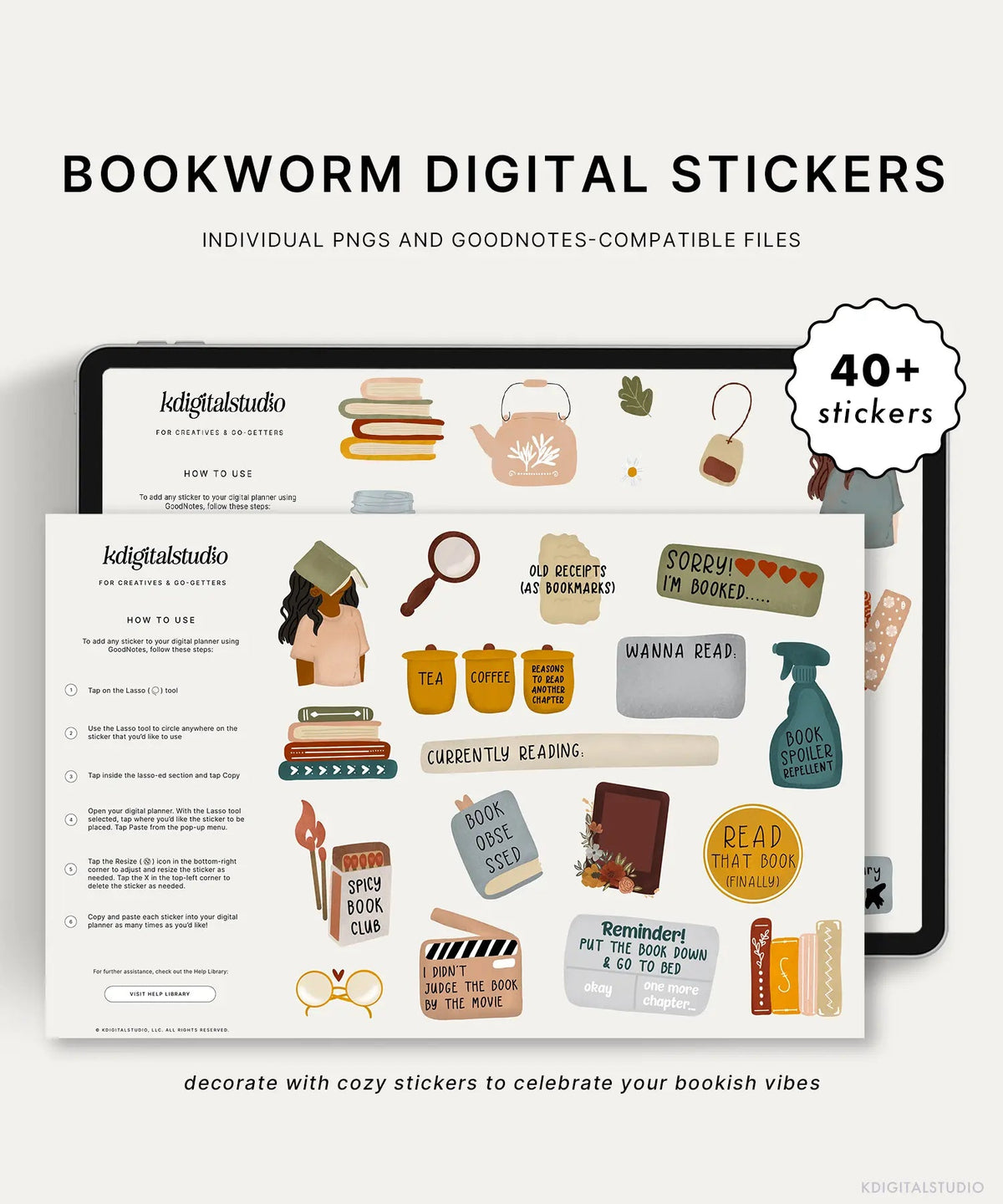
There's something about fall that makes reading feel less like a "should" and more like something I actually want to do — cooler evenings, an excuse to make tea, an actual reason to curl up instead of scrolling. If your reading goal for the year has quietly fallen off, fall is a genuinely great reset point. Here's how to build a fall reading list you'll actually stick to, plus how to set up a digital reading tracker that makes the whole thing satisfying instead of one more thing to manage.
Step 1: Set a season-sized goal, not a year-sized one
If "read more books this year" didn't work back in January, it's not because you're bad at reading — it's because the goal was too vague and too far away to feel real. A goal like "finish 3 books before December" is small enough to actually track and close enough to stay motivating. Fall is the perfect natural checkpoint for this kind of reset.
Step 2: Build your list with intention
Instead of an endless "to be read" pile that stresses you out just looking at it, pick 4-6 books that actually match the season — cozy mysteries, character-driven fiction, something a little atmospheric. A shorter, curated list feels achievable in a way an infinite list never will.
- Pick at least one book you're genuinely excited about, not just one you feel like you "should" read
- Include something shorter you can finish quickly for an early motivation boost
- Leave room for one surprise pick — a recommendation, a library display find, whatever crosses your path
Step 3: Track it somewhere you'll actually see
A reading goal that lives only in your head disappears the moment life gets busy. A dedicated tracker page in your digital planner keeps it visible without requiring a separate app or journal. Whether that's a simple checklist, a shelf graphic you fill in book by book, or a monthly log, the format matters less than the fact that you'll actually open it.

Step 4: Make progress visually satisfying
This is genuinely half the reason sticker-based tracking works better than a plain checkbox — there's something about visually marking progress that keeps a habit alive longer than a to-do list ever could. The Bookworm sticker set was designed exactly for this: warm, textured stickers for logging what you're reading and celebrating the cozy, curled-up-with-a-book side of the season.
Step 5: Build a tiny reading ritual around it
Pair your reading time with something else you enjoy — a specific mug, a certain lamp, 20 minutes before bed instead of your phone. The goal isn't more willpower, it's removing friction so reading becomes the easy, obvious choice in that moment rather than one more thing competing for your attention.
A few fall reading list starting points
If you need a nudge to fill in your list: a cozy mystery you've been meaning to start, a backlist title from an author you already love, something atmospheric that matches the season, a book you started earlier this year and never finished, and one recommendation from a friend whose taste you trust. That's five without even trying.
Want more ways to slow your planner down this season? Check out the full fall digital planner refresh guide for cozy sticker picks and reflection prompts to pair with your reading habit.

Share:
How to Build a Slow, Cozy Digital Planning Ritual This Season
Meet the Cyberry 2027 Digital Planner: Light & Dark Mode, Landscape & Portrait