


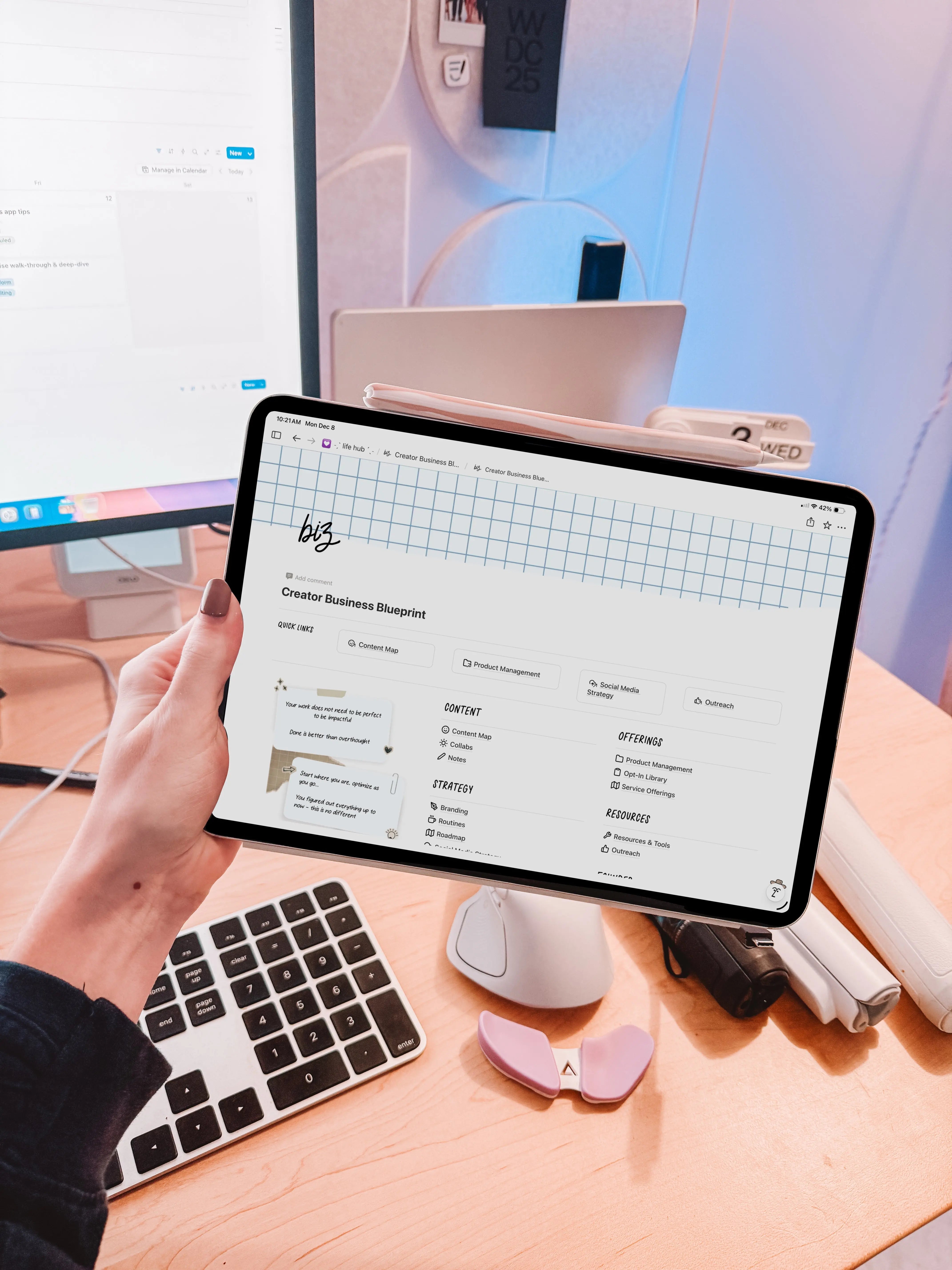
THE ULTIMATE NOTION TOUR: Organize Your Entire Creator Business with One System
Notion can feel endless and customizable to the point of paralysis. What transforms it from chaos into calm is a clear structure: a single, interconnected workspace that handles content, collaborations, products, finances, team operations, and the strategy that guides them all. This blueprint breaks down a ready-to-use Notion system built around creators and small product businesses — templates, databases, formulas, and workflows that actually get work done.
How the workspace is organized
Everything lives under one hub with a clean home screen: quick links to the pages you use most, a customizable cover graphic, and organized sections for content, strategy, offerings, resources, and a founder corner for internal operations. The key is modularity — templates that map to real workflows but remain editable so they fit your process.

Content Map: plan, produce, publish
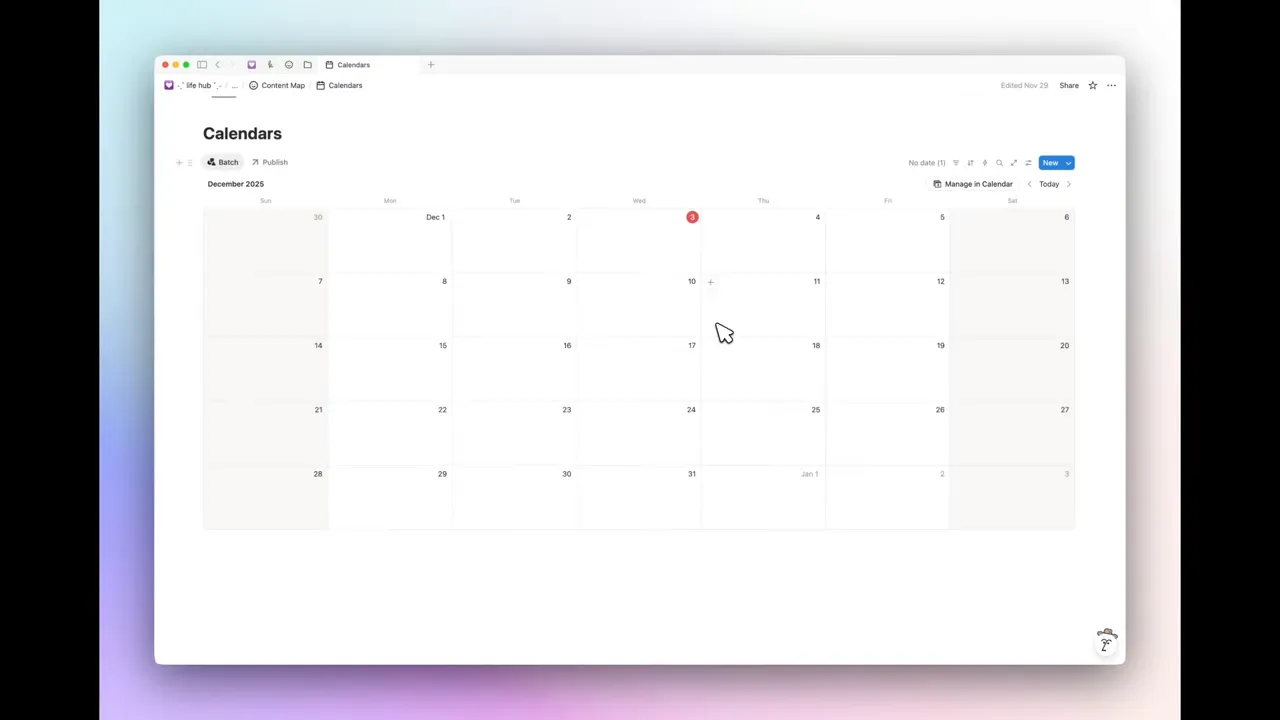
A single content database becomes the engine for multi-platform publishing. Use filtered views for YouTube, Instagram, TikTok, Pinterest, website, or any other platform. Views include list, gallery (thumbnail previews), board, calendar for scheduling, and an archive for published pieces.
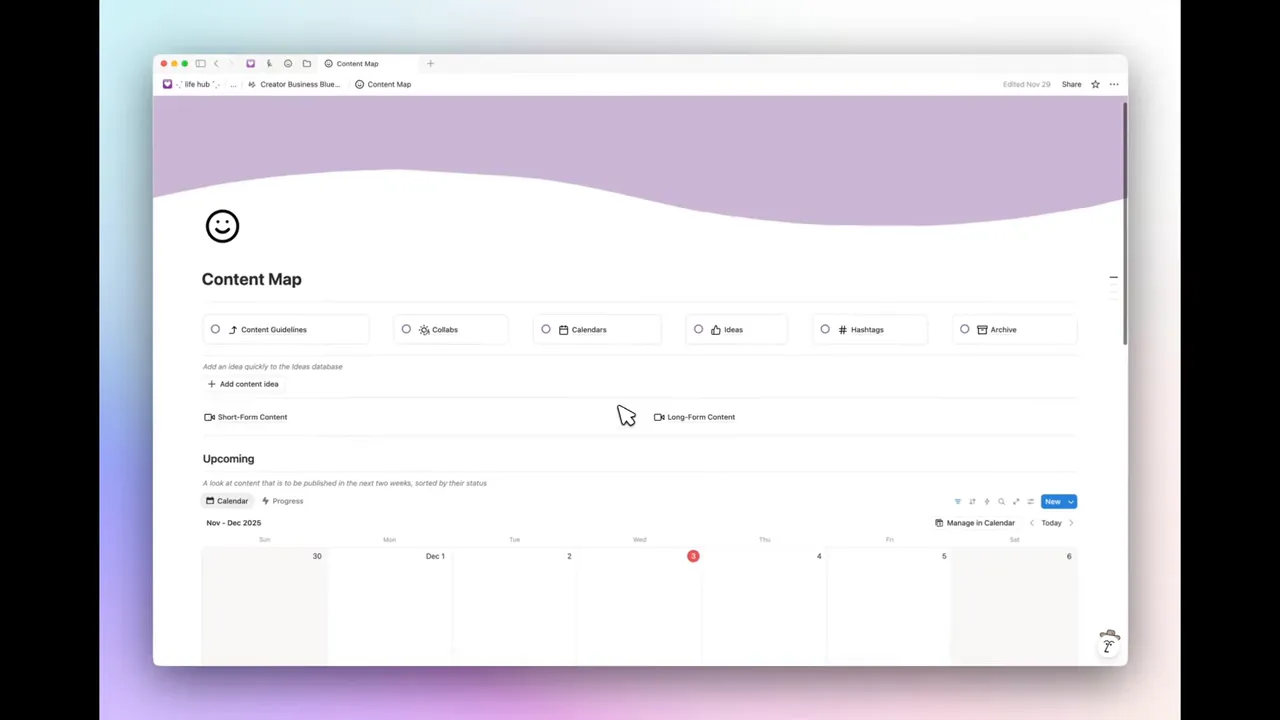
Useful features:
- Platform-filtered views so content does not get mixed up across formats.
- Calendar view for visual scheduling of scripts, shoots, edits, and publish dates.
- Quick-add button that captures ideas instantly with properties like format, platform, caption, sponsor info, and status.
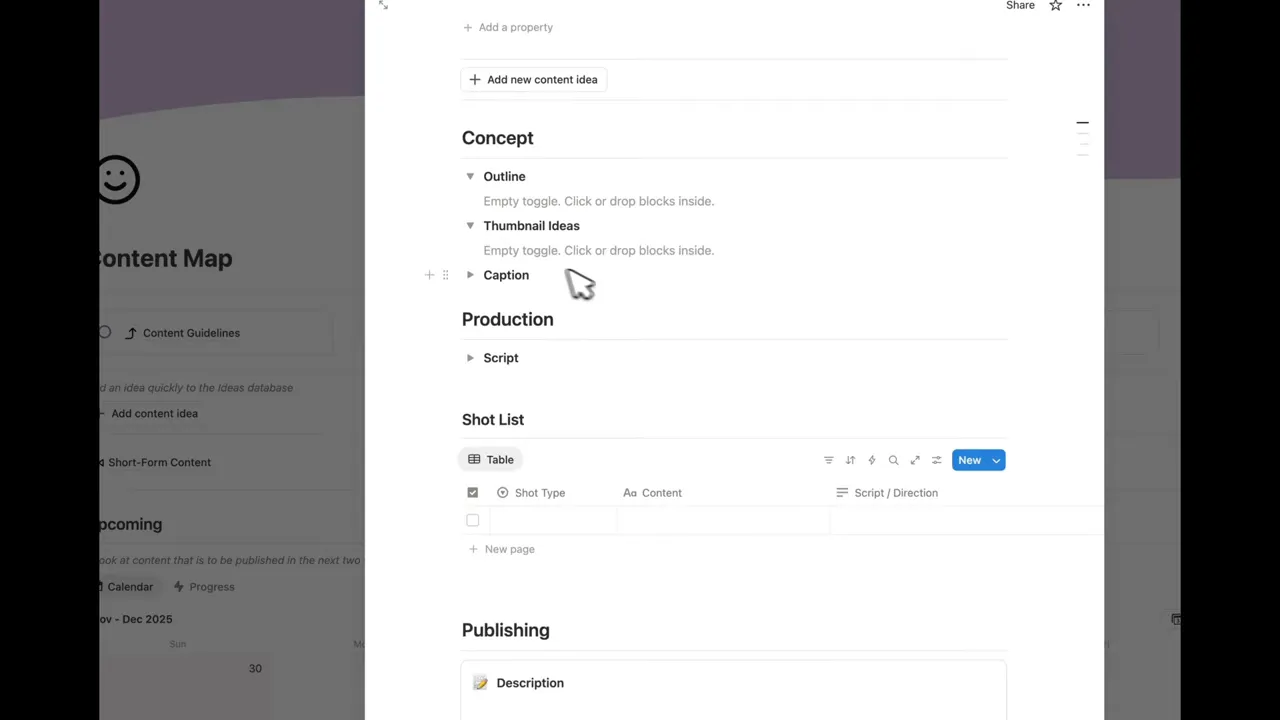
A structured content template guides each idea from concept to live asset: thumbnail ideas, script, shot list, in-script content IDs, metadata (titles, keywords, timestamps), description templates, sponsorship requirements, and links to assets. Keeping video examples and high-performing posts as benchmarks helps you reproduce what works.
Collaborations and media kit
Keep affiliate links, product links, and creator portals in one place so you can copy URLs quickly. Track sponsorships with properties for rates, deliverables, deadlines, payment status, and type of compensation (commission, flat fee, gift).

The media kit template is ready to share publicly and includes analytics toggles, audience demographics, featured work, past partnerships, and your offerings and rates. Use toggles for expandable analytics sections and image uploads for quick screenshots of dashboards.
![Notion media kit [Shared] page showing profile photo, About Me and niche list](https://firebasestorage.googleapis.com/v0/b/videotoblog-35c6e.appspot.com/o/%2Fusers%2Fp7vHzwsPuSWdbep2uFHeAnei3D52%2Fblogs%2FOQTzwK0XSlJjAs3Uu0km%2Fscreenshots%2Fa66251cf-2f1f-4689-9e25-a747b489f521.webp?alt=media&token=c9091ad3-1e2e-4096-916f-db5dfc223ba1)
Branding, routines, and the roadmap
Brand files live in their own table: logos, profile images, hex codes, RGB/CMYK values, and downloadable font assets. Add mission, vision, and values, along with copy guidelines and image style notes so anyone working on the brand follows the same playbook.
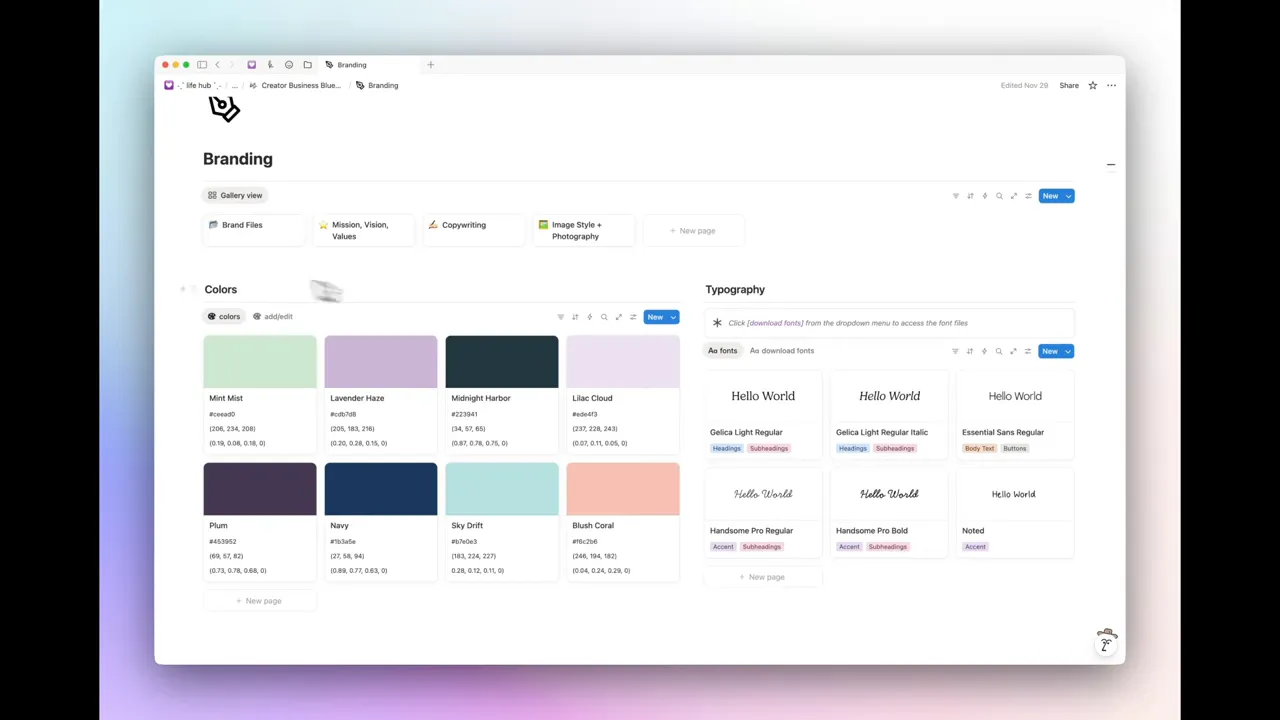
Routines let you structure themed days and weekly outputs (example: YouTube day, product day, short-form day). The roadmap database is ideal for multi-year planning with fields for year, quarter, display priority, progress percent, and timeline view for a visual sense of how goals stack up across cycles.

Social media strategy and research tools
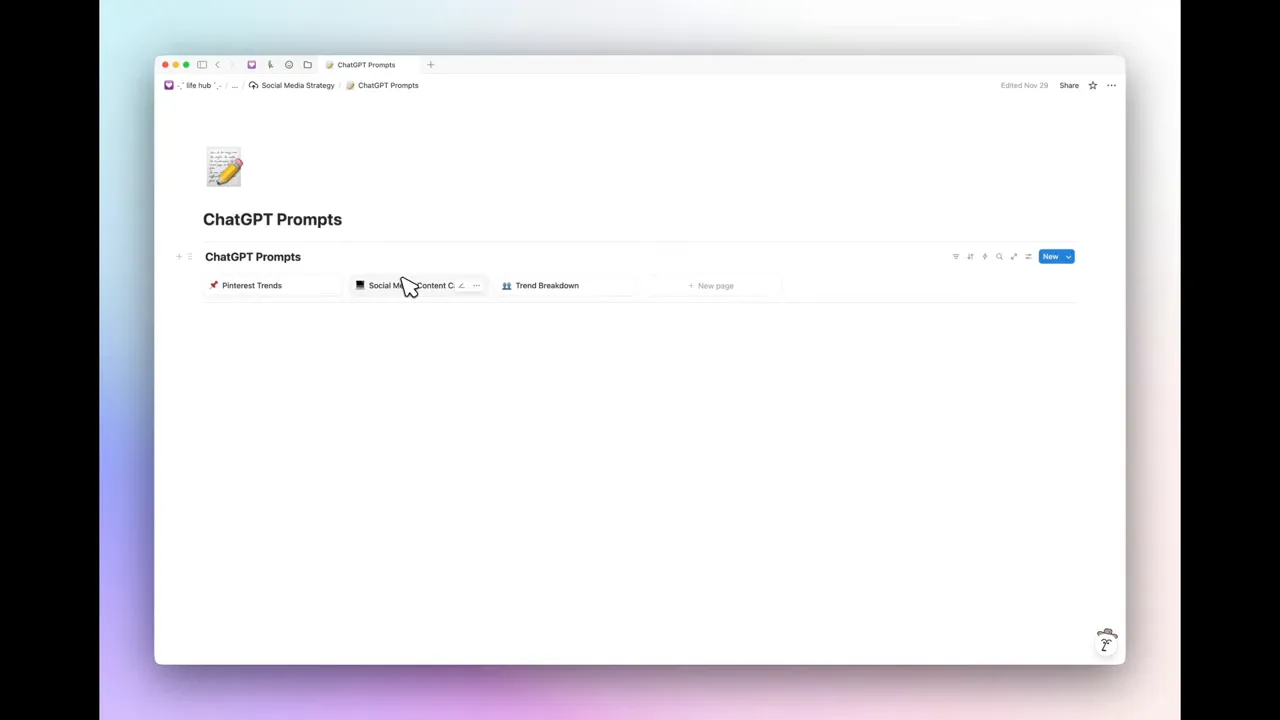
Strategy pages centralize keyword research, a ChatGPT prompt library, and weekly/monthly workflows. The prompt library stores high-quality prompts you reuse for trend analysis, content calendars, or repurposing ideas. Weekly checklists focus on analytics review, refreshing thumbnails/titles, and mining comments for repeat questions that convert into new content opportunities.
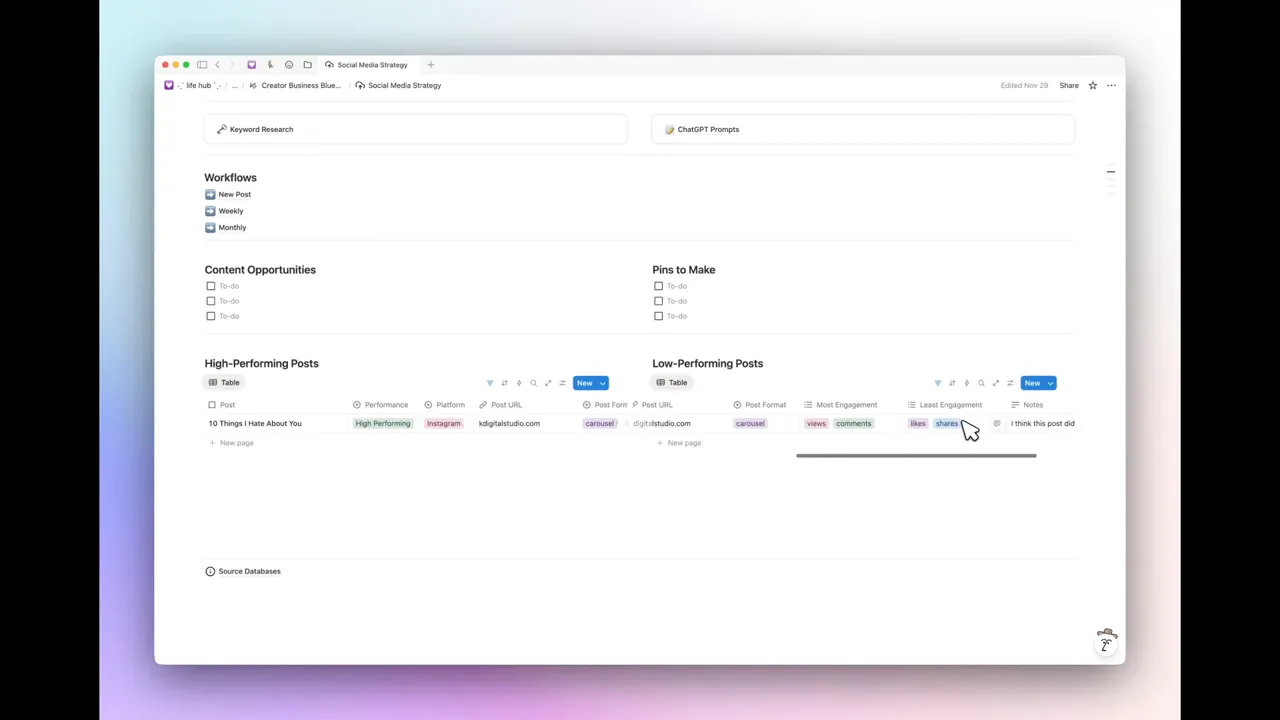
Maintain two quick databases: high-performing posts and low-performing posts. Capture why something succeeded or failed — format, platform, engagement type — then use those insights to iterate faster.
Product management and revenue tracking
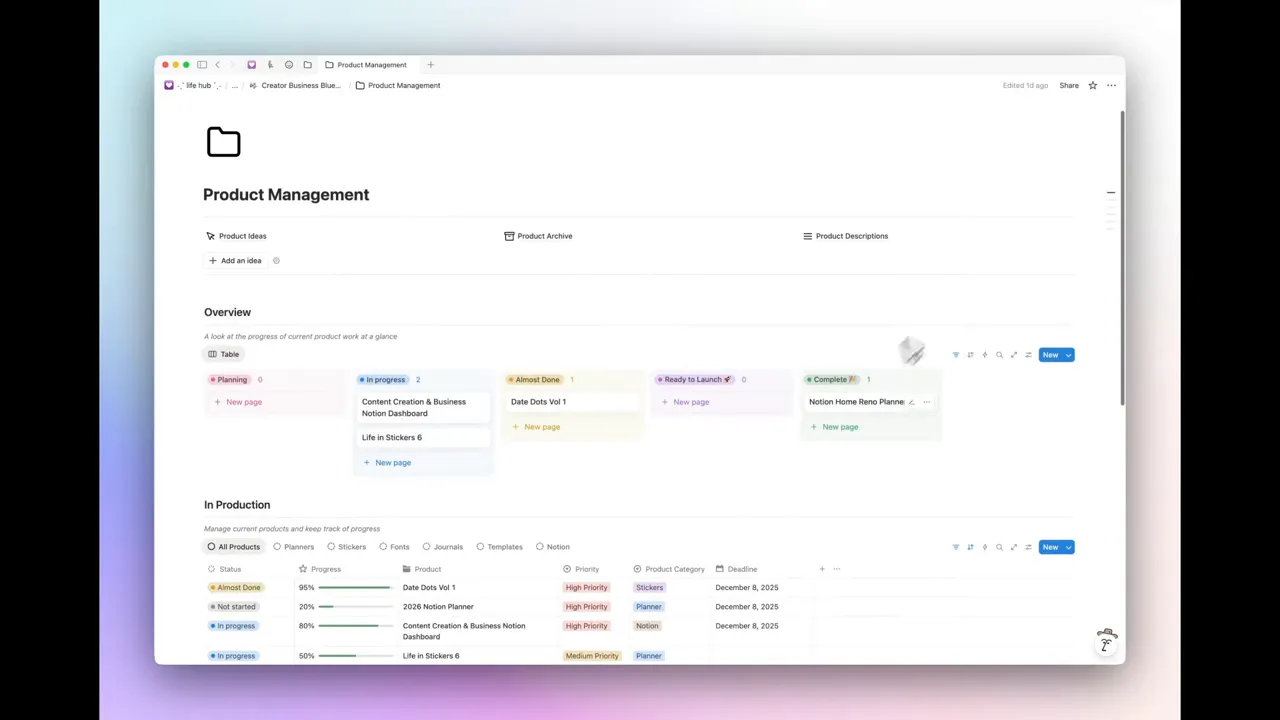
For product-based creators, a product management database tracks ideas → production → launch. Product types include full products, freebies, updates, refreshes, and bugs. Each product page combines an outline with a task checklist to keep production focused and repeatable.
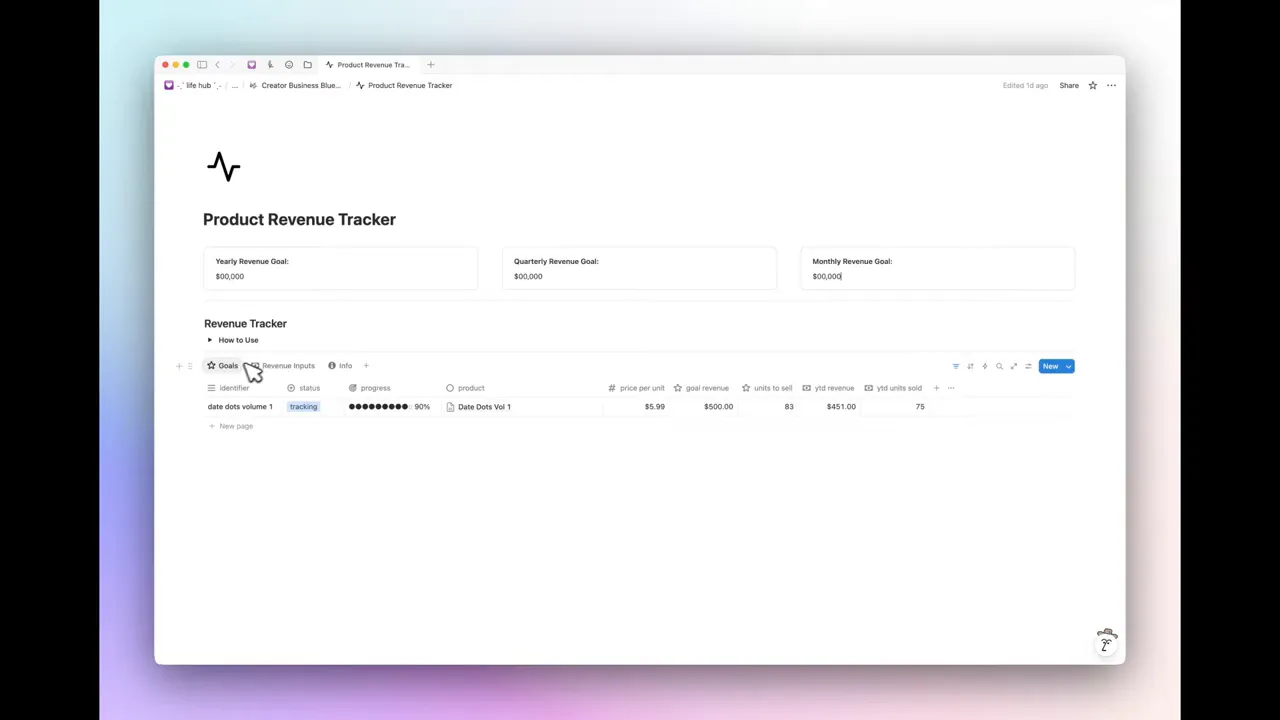
The product revenue tracker links directly to the product database and lets you:
- Set revenue goals by product (monthly, quarterly, yearly).
- Input actual revenue per quarter and automatically calculate units sold and progress toward goals.
- See at-a-glance performance and last-updated timestamps to spot stagnation.
Offerings, opt-ins, and courses
Store freebies and lead magnets in an opt-in library with public links, status (active, paused, archived), and where each freebie is shared. For paid offerings, templates exist for workshops, mentorships, and courses with brainstorm sections, module breakdowns, production checklists, asset uploads, and launch checklists.

Resources, outreach, and testimonials
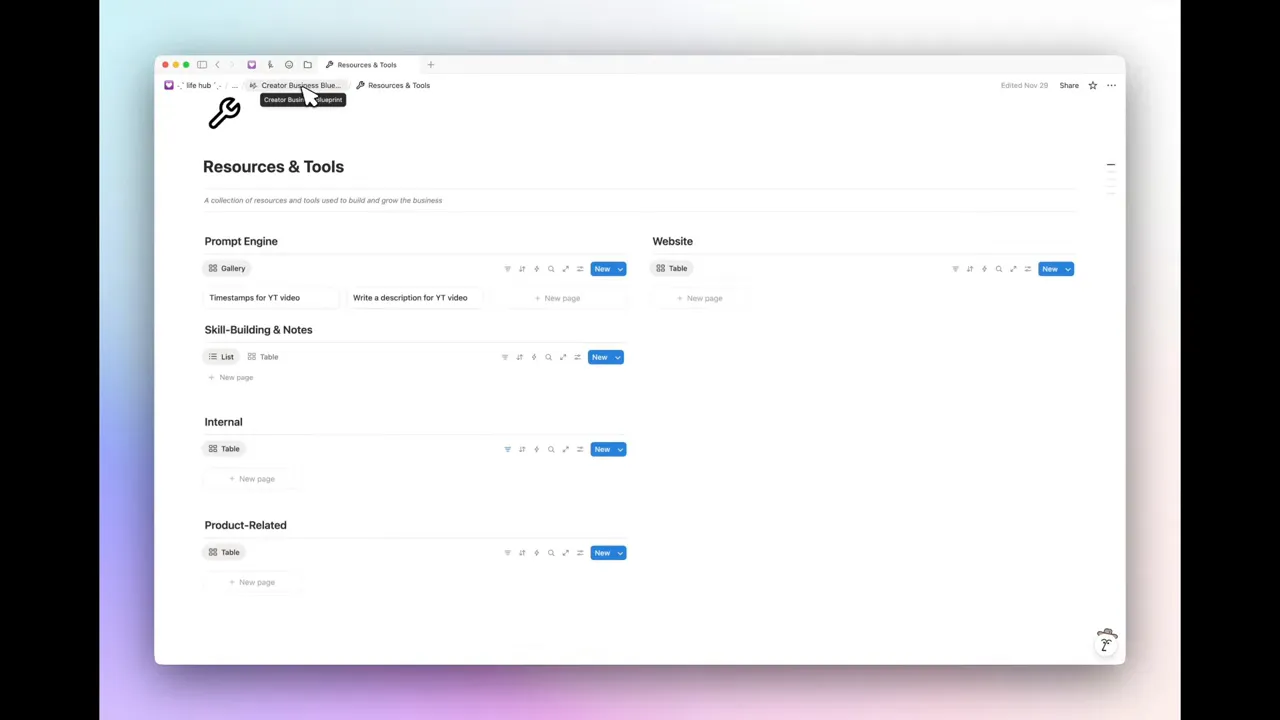
A resource library holds learning materials, CSS snippets, prompt engines, and skill-building notes so knowledge becomes searchable, not scattered. The outreach area contains email templates for common replies, feedback and request tracking, and a testimonial database that records permission status and where testimonials have been used.
Founder corner: internal ops, finances, team, tax
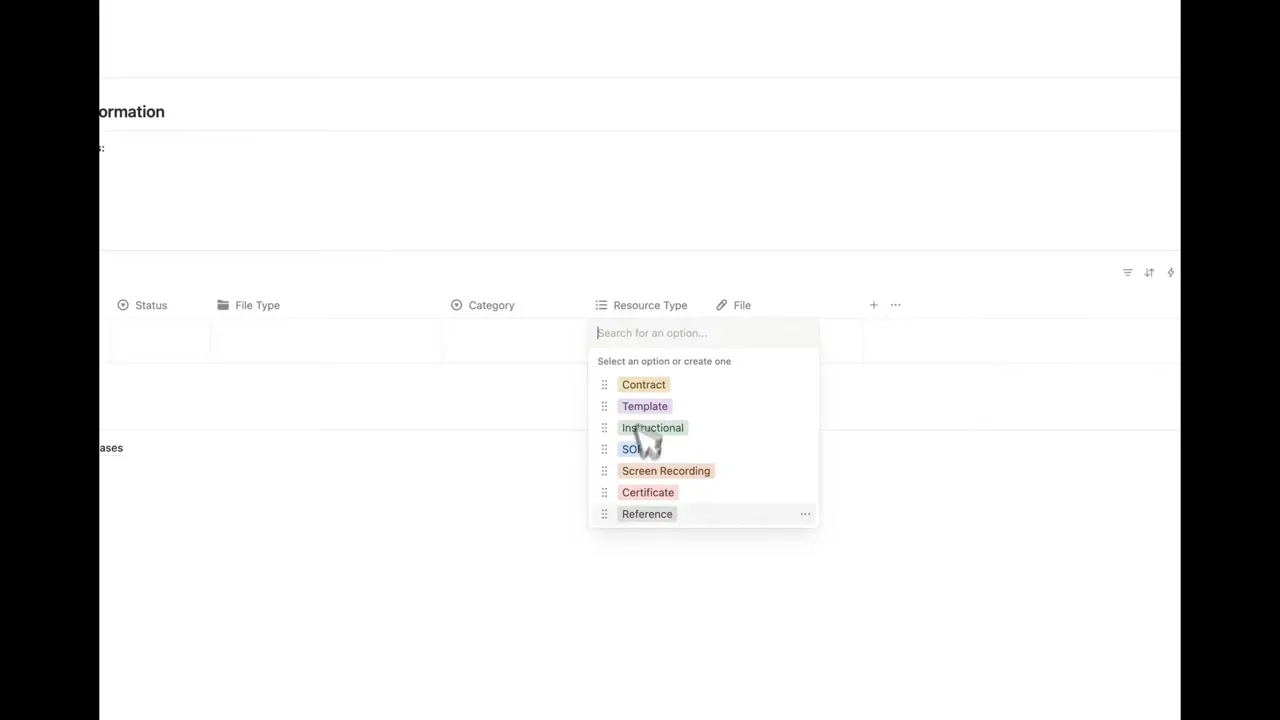
Internal files include contracts, SOPs, and admin resources with status tags like active, needs updating, or archived. The finance section tracks recurring expenses with a value assessment (essential, nice-to-have, replaceable) to prioritize cost-saving conversations.
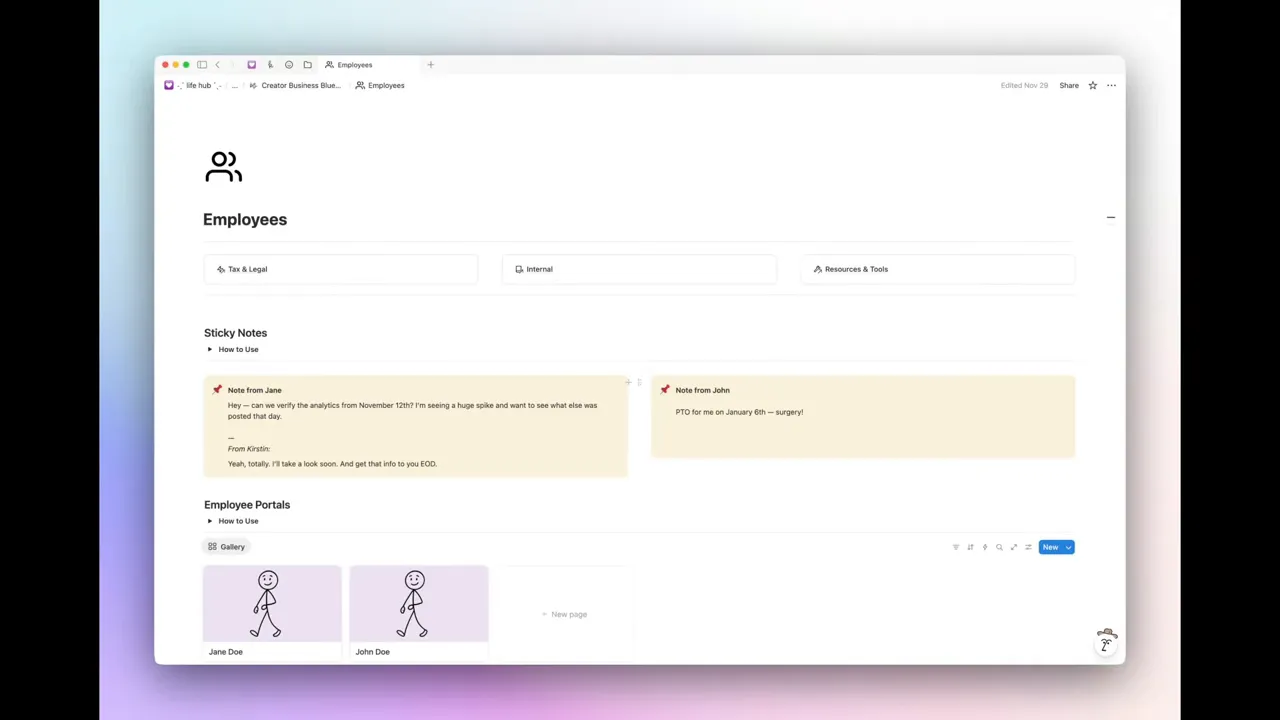
Employee portals offer mini-dashboards for contractors and team members containing onboarding checklists, account access lists, quick links to the parts of the workspace they need, and synced sticky notes for quick asynchronous communication. This minimizes email back-and-forth and keeps requests visible on the main employee page.
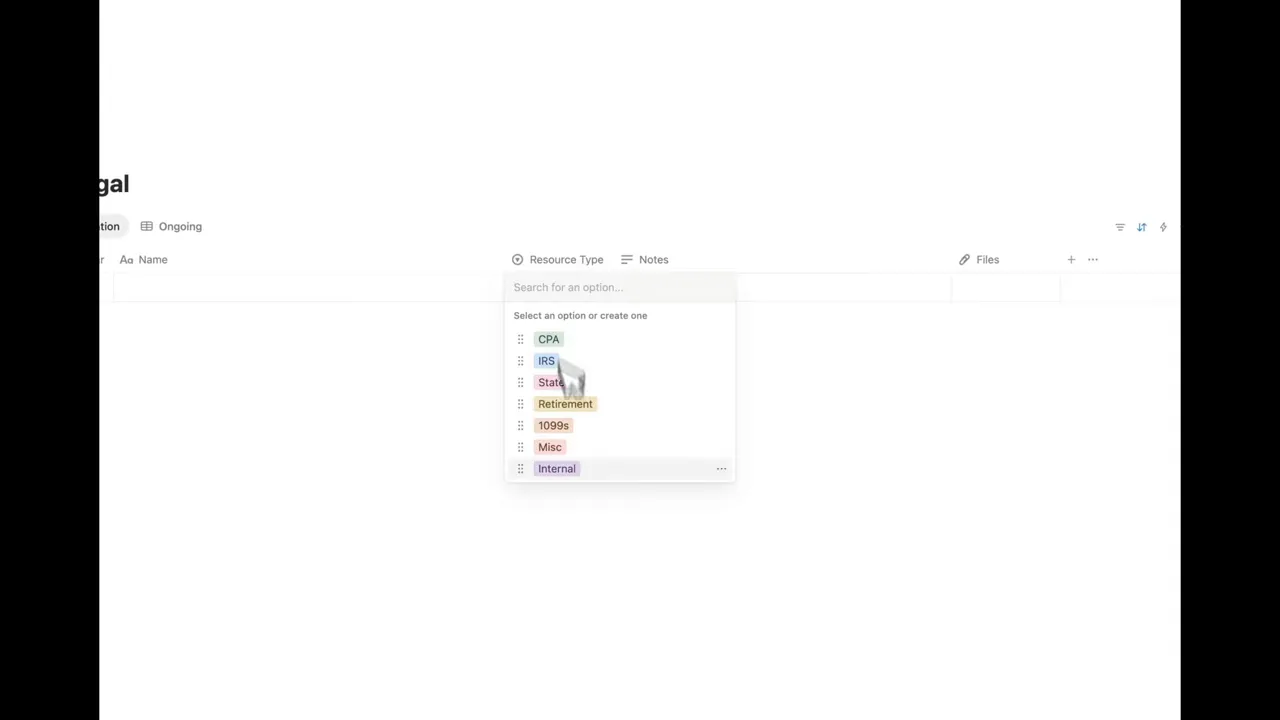
Tax and legal documents are stored in a simple database with year, document type, origin (state, federal), and notes so compliance and filings are easy to find when needed.
Practical tips for getting started
- Start with the home page and quick links. Replace placeholder pages with the tools you use most.
- Use the content quick-add to capture ideas immediately; build the habit of filling the template with key metadata.
- Link products to the revenue tracker before launch. Even a rough goal gives you a target to optimize toward.
- Document brand elements and editorial guidelines early. Consistency reduces second-guessing during execution.
- Archive ruthlessly. If a template or idea is no longer active, drag it to archive to reduce noise.
Why this approach works
Consolidation beats fragmentation. When content, strategy, product, and operations are connected, information flows instead of getting lost. Having templates for repeatable workflows saves time, reduces decision fatigue, and makes collaboration smoother. As the creator puts it:
"It has been massively helpful in managing it all and just keeping things from getting lost in my own head."
Final thoughts
A single Notion workspace can become the operating system for a creator business. Use clear templates, linked databases, and practical checklists to turn ideas into finished products and measurable revenue. The goal is not an exhaustive dashboard but a practical set of pages that reflect how your work actually happens.
Adapt the templates to your needs, keep guidelines accessible, and build a habit of adding data consistently. Over time that discipline turns the workspace into a precise reflection of progress and opportunity.



Share:
The NEW Direction of GoodNotes and What It Means for Digital Note-Taking
GoodNotes GLITCH? | How to fix the unsupported file type error