


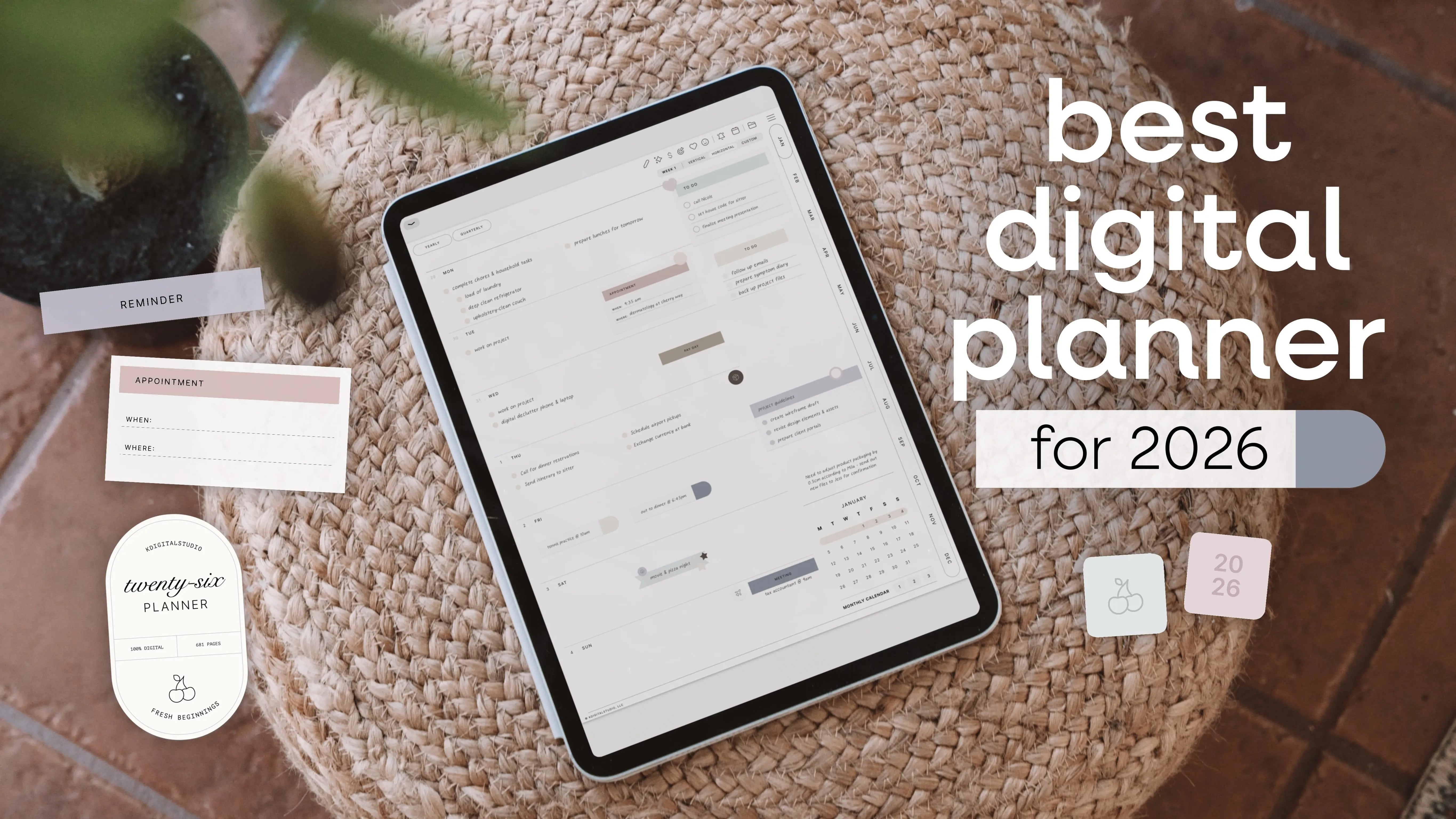
How I Finally Got My Life Together with the Cyberry 2026 Digital Planner
Let me tell you about my planning journey—and yes, I'm one of those people now. You know, the ones who can't stop talking about their planner? But hear me out, because this story starts with me being an absolute organizational disaster.
For years, I was a paper planner person. I loved the aesthetic, the smell of fresh pages, the satisfying feeling of checking things off with a pen. But here's the thing: I was also the person who would forget my planner at home, spill coffee on it (twice), and somehow never have it when I actually needed to jot something down.
My Digital Planning Awakening
Everything changed when I discovered the world of digital planning. At first, I was skeptical. Could tapping on a screen really feel as satisfying as writing on paper? Spoiler alert: it absolutely can, and then some.
I spent countless hours experimenting, designing, and reimagining what planning could look like on an iPad. I wanted to capture that same intentional, tactile feeling of paper planning—but with all the flexibility and convenience that digital offered. That exploration led me to create what would eventually become the Cyberry 2026 digital planner.

Why the 2026 Digital Planner Changed Everything
When I sat down to design Cyberry, I had one question in mind: what if Apple designed a digital planner? I wanted something that was gorgeous—like, actually beautiful in a way that made me want to open it every day. But it couldn't just be pretty; it needed to be incredibly functional too.
As someone who now teaches digital planning for beginners, I knew the learning curve had to be gentle. No one should need to watch a million tutorials just to get started. Everything needed to feel intuitive, from adding stickers to color-coding schedules. This iPad planner had to work with real life, not against it.
[collection=2026-planners]
What Makes This Digital Planner 2026 Special
Here's what I love most about my Cyberry setup:
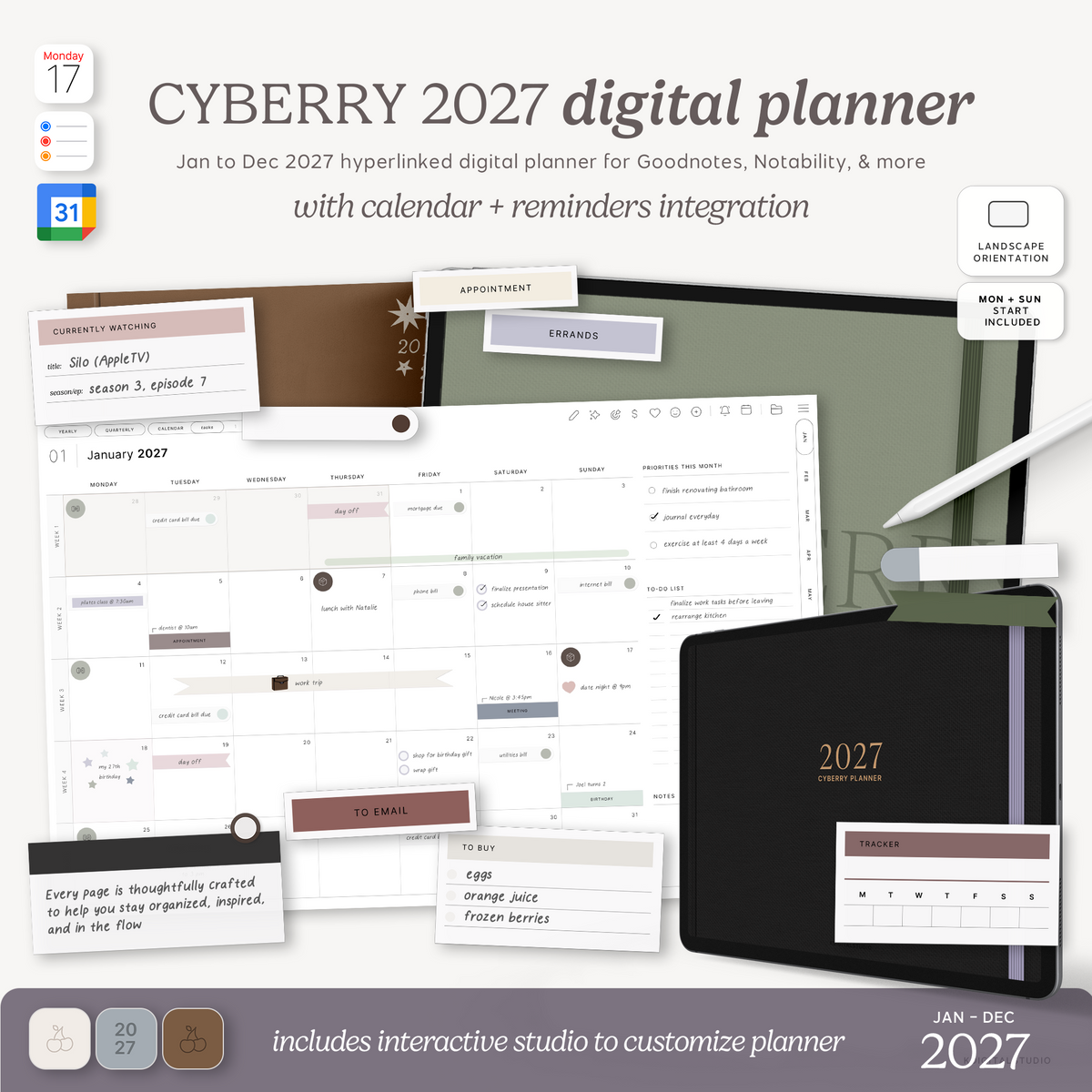
Everything is in one place. My work calendar, personal appointments, meal planning, goal tracking, habit building—it's all there. No more juggling multiple notebooks and sticky notes that inevitably get lost.
I can customize everything. Want to make Tuesday's page filled with hot pink stickers because you need extra motivation? Done. Want to add a motivational quote sticker? There are hundreds to choose from. The level of personalization makes it feel like your planner, not just a template.
It's always with me. Since I always have my iPad nearby (let's be real, it's glued to my hand most days), my planner is always accessible. No more "I'll write that down when I get home" moments where I inevitably forget.
The undo button is a game-changer. Made a mistake? Just undo it. No crossing out, no white-out, no starting a fresh page because you wrote the wrong date. This alone has saved my perfectionist soul so much stress.

My Actual Daily Experience
Here's what a typical morning looks like for me now: I grab my coffee, open my Cyberry 2026 digital planner on my iPad, and immediately see my whole day laid out. I can drag and drop tasks if my schedule changes, check off my morning habits, and add any new to-dos that pop into my head.
The digital planning workflow has actually made me more consistent with planning, not less. With paper planners, if I missed a day, I'd feel guilty about the blank pages and sometimes just... give up. With Cyberry, I can jump right back in without that mental barrier.
For Anyone Still on the Fence
If you're considering making the switch to digital planning, let me share what I wish someone had told me: you don't have to choose between paper and digital forever. I still keep a small notebook for quick brainstorming, and that's okay. The iPad planner isn't about replacing everything; it's about having a central hub that works with your life, not against it.
The Cyberry digital planner 2026 has honestly transformed how I approach my days. I'm more organized, less stressed, and actually excited about planning (which is something past-me would never believe). Whether you're a digital planning pro or totally new to this world, Cyberry makes it easy, beautiful, and genuinely enjoyable.
So if you've been eyeing the digital planning space but haven't taken the plunge yet, this might be your sign. Your 2026 self will thank you.

Now if you'll excuse me, I have some color-coding to do. 📱✨
Share:
Free Notion Widgets to Personalize Your Dashboard
Setup Guide for Reading Journal