


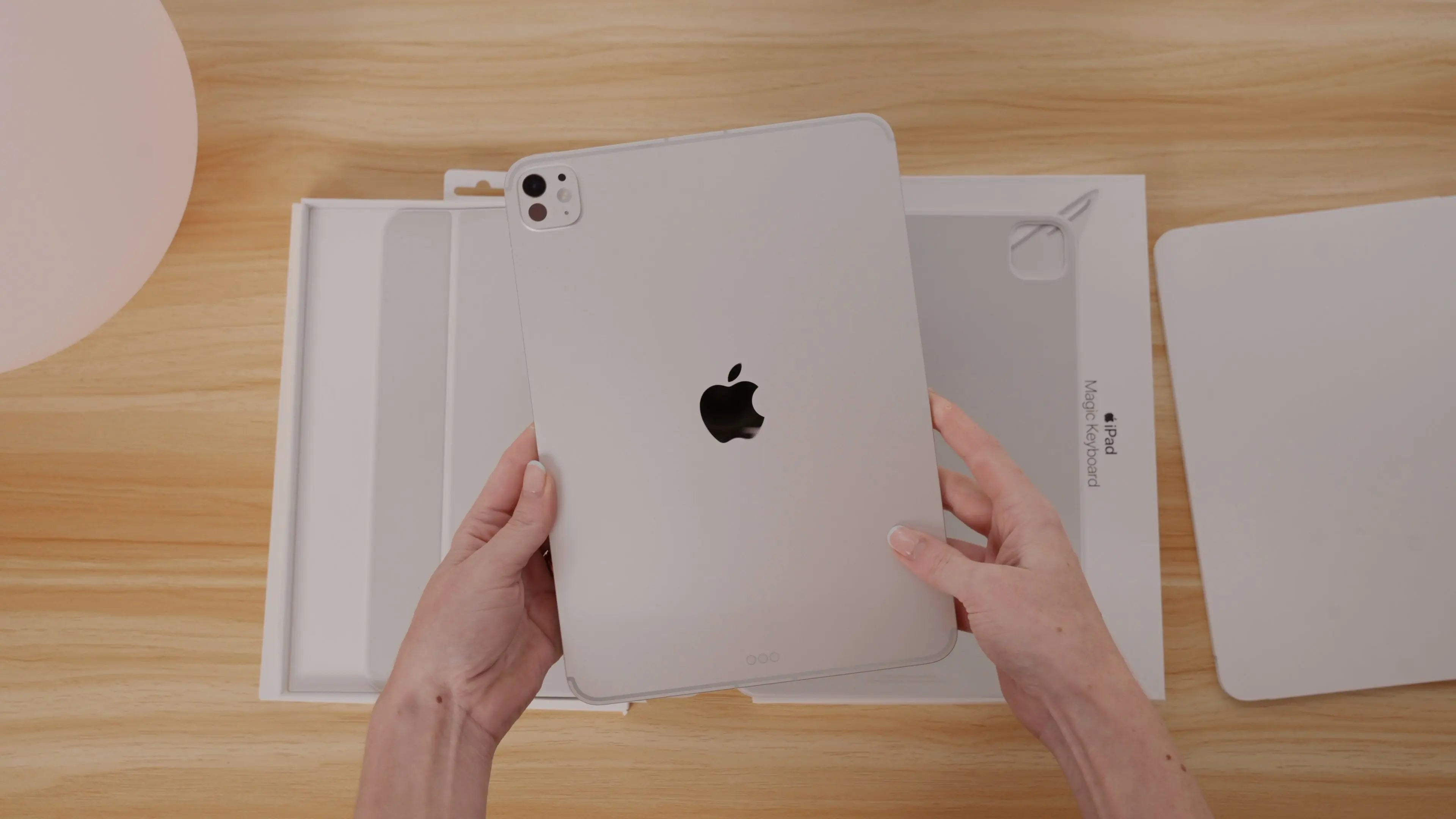
Apple’s latest iPad Pro has officially arrived — now featuring the powerful new M5 chip — and I couldn’t resist unboxing it to give you a first look. I have the 11-inch model in Silver in the studio, which, in my opinion, is the best Pro color. Of course, I have a few matching accessories to go with it too.
First Impressions: From iPad Air to iPad Pro
My previous daily iPad was the M3 iPad Air in that soft lavender-purple shade. That one’s the 13-inch version, so switching to the 11-inch Pro feels noticeably smaller — yet sleeker and lighter at the same time. Ironically, the Air is now actually heavier and thicker than this Pro.
After a few days of using both, I can definitely say the Pro feels more refined. I do already have a full video comparing iPad sizes and helping you decide which one fits your needs best, but after this switch, I think it’s time for an updated comparison post too.

Design & Build
The M5 iPad Pro looks exactly how you’d expect an Apple Pro device to look: thin, minimal, and beautifully engineered. Honestly, I’m not sure where Apple even goes from here in terms of design. Thinner? Lighter? Smaller bezels? They really nailed this design back in 2018, and it still holds up.

Performance You Can Feel
Where you’ll notice the biggest difference is in performance — especially the new 10-core GPU and next-gen cellular modem. Combined with the new windowing system in iPadOS 26, multitasking feels more fluid than ever.
If you run AI tools or large language models directly on your iPad (no cloud connection required), the M5 chip’s on-device power makes a huge difference. Tasks that rely on GPU acceleration — like Procreate brushes, background rendering in DaVinci Resolve, or complex shortcuts — all feel faster and smoother.
And since this is the Pro model, the higher RAM capacity means more layers in creative apps, instant masking, and faster export times. It’s subtle on the surface, but these small boosts add up, especially for creators.
Connectivity Upgrades
Another area that’s seen a nice jump is wireless performance. The new iPad Pro includes Wi-Fi 7, Bluetooth 6, Thread, and 5G — all of which make everyday transfers and syncing noticeably snappier.
I rely on AirDrop daily, and when I’m transferring large batches of photos or video files, I’ve definitely noticed the difference. It’s one of those behind-the-scenes upgrades that quietly improves your workflow over time.

Why Every Upgrade Matters
I use my iPad for almost everything — from digital planning to content creation to design — so even when the updates seem incremental, I always feel them during busy creative seasons. A faster chip or a smoother connection might sound small, but they keep your creative flow uninterrupted.
Over the next few weeks, I’ll be testing the M5 iPad Pro more deeply and sharing a full review — plus a roundup of apps that truly shine on this new generation of iPad.
Thinking About Upgrading?
If you’re considering the new M5 iPad Pro, I’d love to know:
What iPad are you currently using, and what’s tempting you to upgrade?
If you’re still deciding on size, check out my iPad Size Comparison Video — it breaks down the key differences between the 11-inch and 13-inch models so you can find your perfect fit.

Share:
Final Cut Pro on iPad: Editing Made Effortless
The Best Digital Planner for 2026