


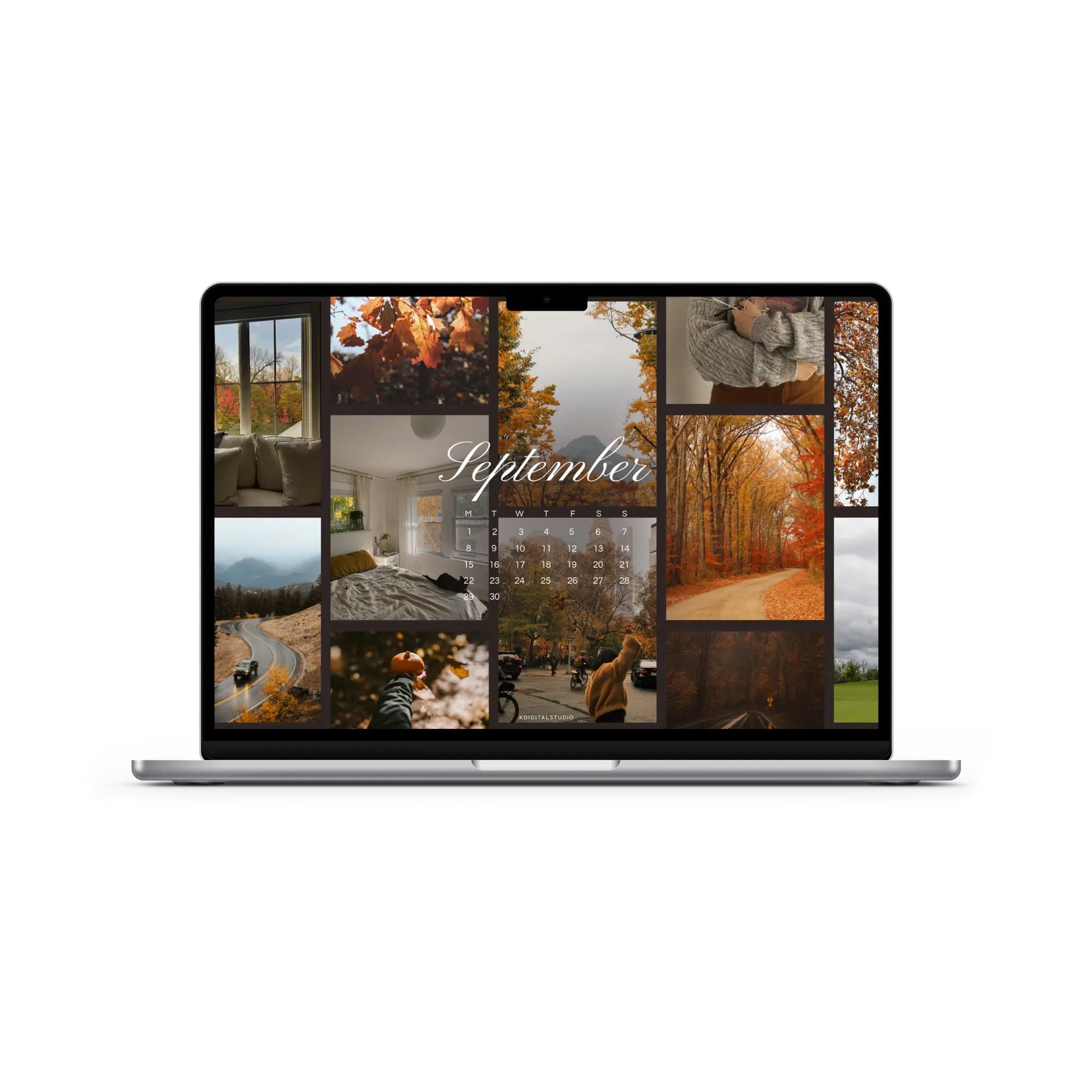
Say Hello to September with Free Wallpapers
A new month means a fresh set of wallpapers for your devices! September is one of my favorite times of the year: the shift into autumn, cozy vibes, and a mix of golden leaves with cooler mornings. To celebrate, I’ve designed four free September 2025 wallpapers you can download for your iPad, phone, or desktop. Each one comes with a built-in calendar so you can stay inspired and organized all month long.
🧺 Here’s the full folder of all the wallpapers!
Free Wallpaper Backgrounds
Each design is available in multiple sizes so you can dress up your phone, tablet, desktop, or all three. If you’re someone who likes to keep your planning on track visually, don’t miss the calendar versions — they’re equal parts cute and functional.
📥 How to Download Your Wallpapers
Scroll through the collection, pick the ones that catch your eye, and tap the link to download your preferred sizes. Save the image to your device and set it as your background—it’s that simple.
💡 On a Mac? Create a folder of your faves and set them to rotate. Go to System Settings > Wallpaper and shuffle them throughout the month!
🍂 Featured September Wallpapers
01. Warm & Cozy Collage
This wallpaper is like wrapping yourself in a chunky knit sweater. It’s filled with golden leaves, foggy mountain drives, cozy interiors, and those first pops of fall color. Perfect if you want your screen to feel like a warm September mood board.

02. Modern, Glassy, Minimal
For a modern look, this wallpaper features soft, fluid shapes in calming neutral tones. It’s minimal but still dynamic, making it perfect if you like your setup clean and distraction-free while still stylish. It will pair perfectly with iOS 26 launching this fall.

03. Painterly Landscape
Bring a little art to your screen with this hand-painted fall landscape. Golden trees line a winding road, leading your eye into the purple-blue mountains. It feels dreamy, serene, and captures that crisp September air.

04. A New York Fall
For something with energy, this wallpaper captures a city scene bursting with fall color. Think morning walks, golden leaves overhead, and that busy September rhythm. A reminder that the beauty of fall is all around, even in the middle of the city.

🗓 When Do New Wallpapers Drop?
You’ll find fresh backgrounds posted a few days before each new month — just in time to reset your screens. Stay tuned here or sign up for the newsletter so you never miss a new collection.
📸 Tag & Share Your Setups
Loving how your device looks with a fresh May background? Tag me on Instagram @kdigitalstudio so I can see and share your styled screens. I always love seeing your aesthetic in action.
Share:
August 2025 Wallpapers
October 2025 Wallpapers
3 comments
I really like your monthly wallpaper
Every month it always gives me joy to decorate my personal and work devices with your wallpapers. Thank you!
Hello