


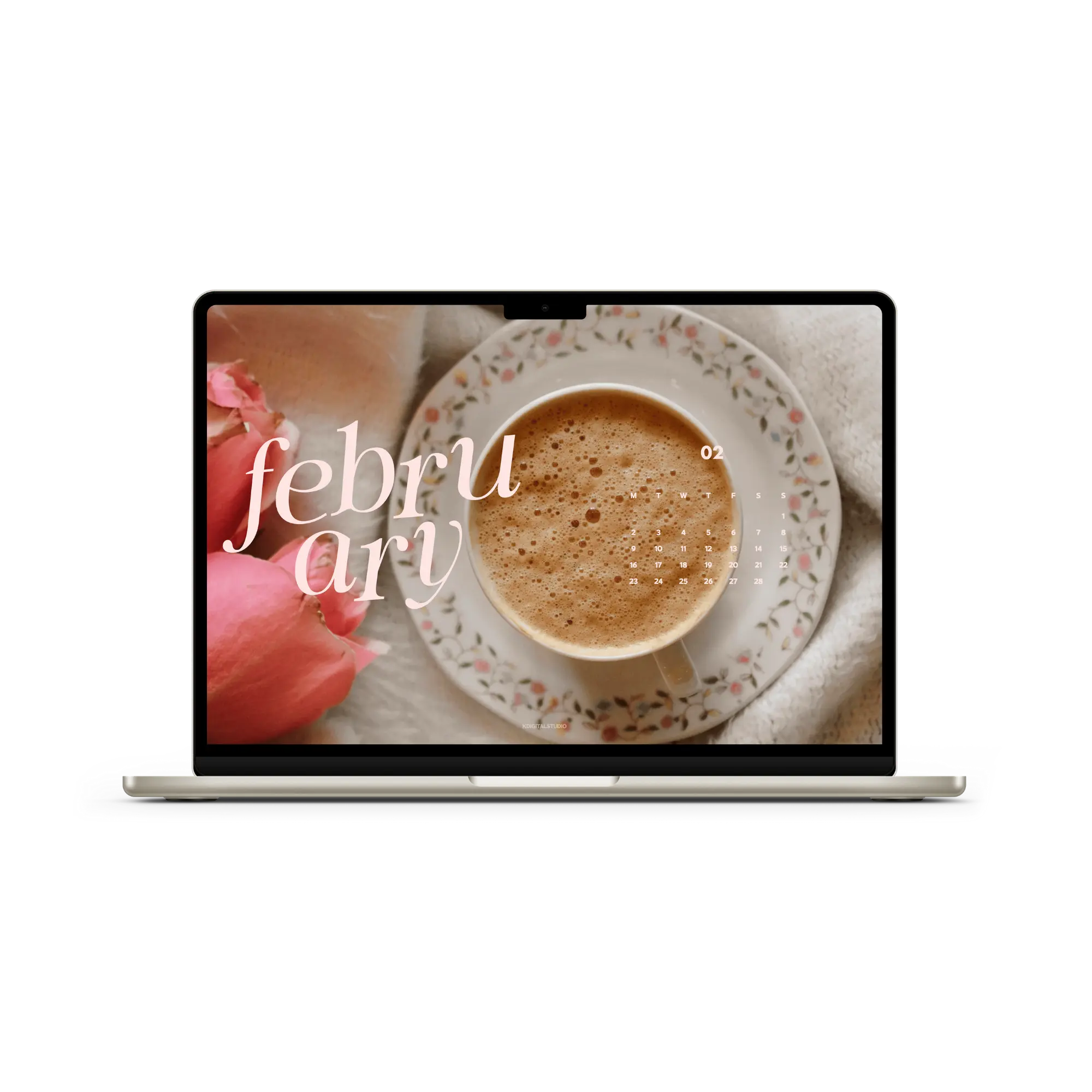
Hi friends! I hope you have had a wonderful start to 2026. Apologies for not getting wallpapers out in time last month. January always ends up being a really busy month for me -- I took a longer break for the holidays to spend time with my family, then I celebrated a birthday, and then five days later, I celebrated my toddler's birthday! ☺️
Lots of celebrations, and they'll continue into February of course. If you're still looking for the perfect 2026 planner for the year, check out the full collection of planners I've launched so far! There's something for everyone. ❤️🔥
❤️🔥 Here’s the full folder of all the wallpapers! But keep scrolling to get a peek at this month's wallpaper collection. Keep scrolling if you'd like a peek at the designs first!
📥 How to Download Your Wallpapers
Scroll through the collection, pick the ones that catch your eye, and tap the link to download your preferred sizes. Save the image to your device and set it as your background—it’s that simple.
💡 On a Mac? Create a folder of your faves and set them to rotate. Go to System Settings > Wallpaper and shuffle them throughout the month!
💞 Featured February Wallpapers
This month, you'll find wallpapers sized for desktop, iPad/tablet, and iPhone. I included calendar-free options for your second displays or if you want to go super minimal this month. There's also two designs for this month's wallpapers: classic and stylized.
Heading Styles
Classic

Stylized

Let me know what you think of these headings! 😆 Alright now, let's take a look at the designs this month. Keep in mind, you can choose any of the headings from above for each of these designs.
The Designs


🗓 When Do New Wallpapers Drop?
You’ll find fresh backgrounds posted a few days before each new month — just in time to reset your screens. Stay tuned here or sign up for the newsletter so you never miss a new collection.
Join the newsletter if you want early access each month before the drop!
[newsletter]
📸 Tag & Share Your Setups
Loving how your device looks with a fresh December background? Tag me on Instagram @kdigitalstudio so I can see and share your styled screens. I always love seeing your setups!
Share:
December 2025 Wallpapers
March 2026 Wallpapers
2 comments
Hi Carly,
Have you saved the link to access the freebies? You won’t be able to download them directly from the website — it’s just a method of sharing what’s available before people choose whether they’d like to opt into our newsletter. The freebies are hosted on Google drive and the freebie link is at the bottom of the newsletter emails, but it is recommended to bookmark it so you can access at any time.
Why is it that I get the newsletter but can’t download freebies? I have to re-sign up every month.