


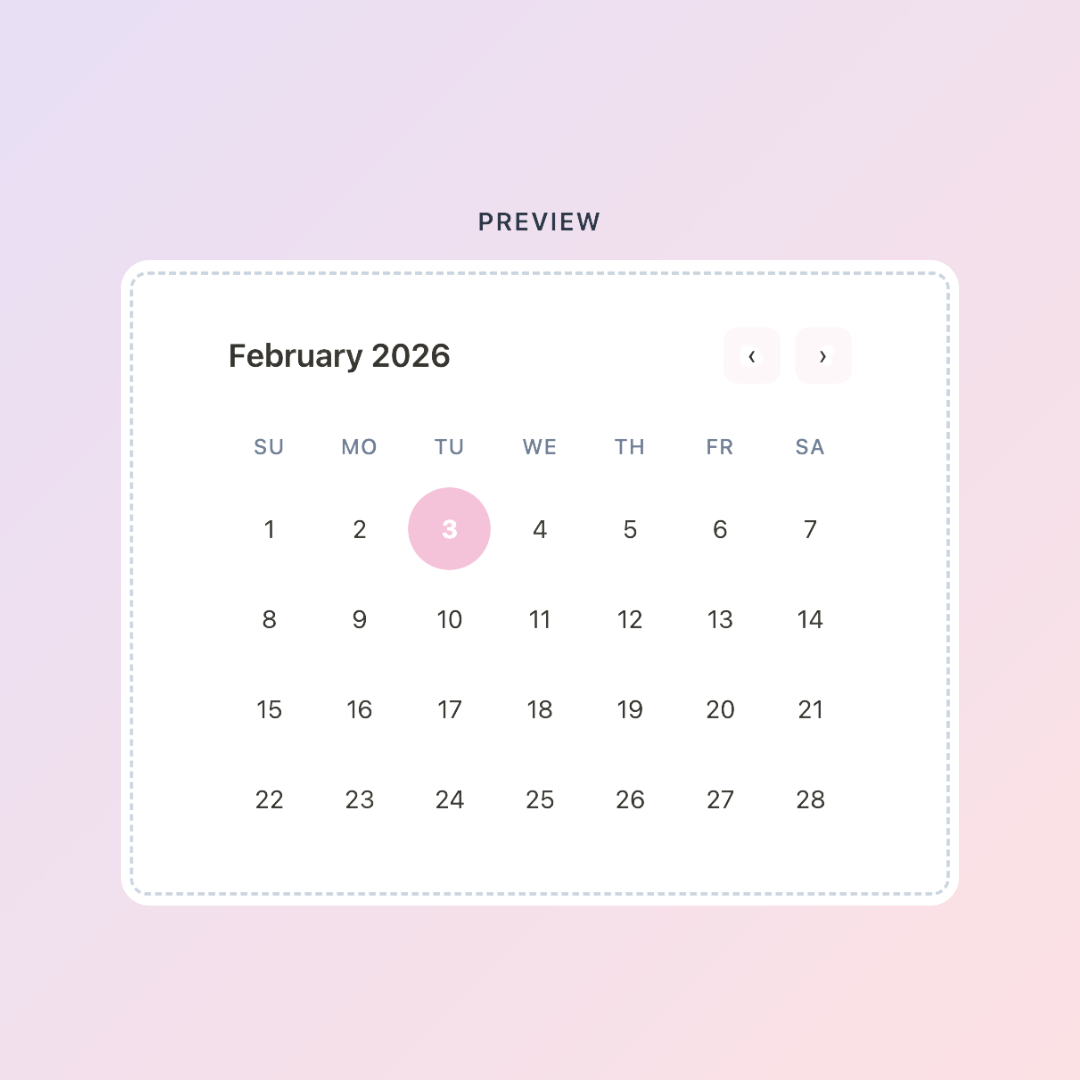
Notion's built-in calendar view is functional — but it's not exactly the kind of thing you want front-and-center on your dashboard. It's a database view, not a display widget. You can't just drop it somewhere and have it feel like a real calendar.
The workaround most people use is embedding a Google Calendar or iCal link, but those have their own styling limitations and require ongoing sync management.
Here's a better option: a fully customizable calendar widget made specifically for Notion — free, embedded in seconds, and designed to actually look good in your workspace.
The KDigitalStudio Calendar Widget
The Calendar Widget is part of the free KDigitalStudio Digital Toolkit. Before you embed it, you customize the look — month display, week start day, color scheme — to match your Notion aesthetic. The result is a clean, visual calendar that lives directly in your workspace.
Create your free Calendar Widget → kdigitalstudio.com/pages/notion-calendar-widget

How to Add It to Notion
- Head to the Calendar Widget page on the Digital Toolkit
- Set your preferences and copy your embed link
- In Notion, type
/embedand paste the link - Resize and position it wherever makes sense — top of your dashboard, beside your task list, inside a weekly planner page
It updates automatically and doesn't require any ongoing maintenance on your end.
Where the Calendar Widget Works Best
Dashboard pages — A calendar at the top of your main Notion dashboard gives you immediate date orientation every time you open the app.
Weekly planning pages — If you do a weekly planning session in Notion, the calendar widget helps you see the whole week in context while you're filling in tasks and priorities.
Goal tracking pages — Seeing the month laid out visually while you're working on goal progress is a surprisingly useful anchor.
Taking It Further: A Full Planning System
A calendar widget shows you when. A planning system helps you manage what happens there.
If you've been working in Notion for a while and want to go beyond a single calendar embed — scheduling your week, tracking goals by month, logging what you accomplish — the 2026 Notion Life Planner is built for exactly that.
[product=2026-notion-life-planner-log-notion-system]
It's a complete annual planning system with monthly and weekly views, a log for capturing how your days and weeks actually go, plus goal and project tracking built in. The calendar widget fits right into it as a visual layer on top of the planning database underneath.
Notion as a Planning Home Base
One of Notion's biggest strengths is that everything can live in one place. Your calendar, your tasks, your notes, your goals — instead of bouncing between four different apps to see what's happening today, it all surfaces in one workspace.
The calendar widget is a small addition that makes that home base feel more complete. And once you have that foundation, adding more structure around it — a life planner, a tracking system, a goal dashboard — becomes the natural next step.
[collection=notion]
Browse the full collection of Notion templates and find the system that fits where you are right now.
Build your dashboard → kdigitalstudio.com/pages/digital-toolkit
Share:
Track Your Mood in Notion With This Free Customizable Widget
The Free Notion Habit Tracker Widget That Actually Sticks