


Don’t Buy the Wrong Apple Pencil in 2026: Every Model Compared + the Best Alternatives
If you’re trying to buy a stylus for your iPad in 2026, the biggest problem is not that there aren’t enough options. It’s that there are too many, and Apple has somehow made its own lineup more confusing than it needs to be.
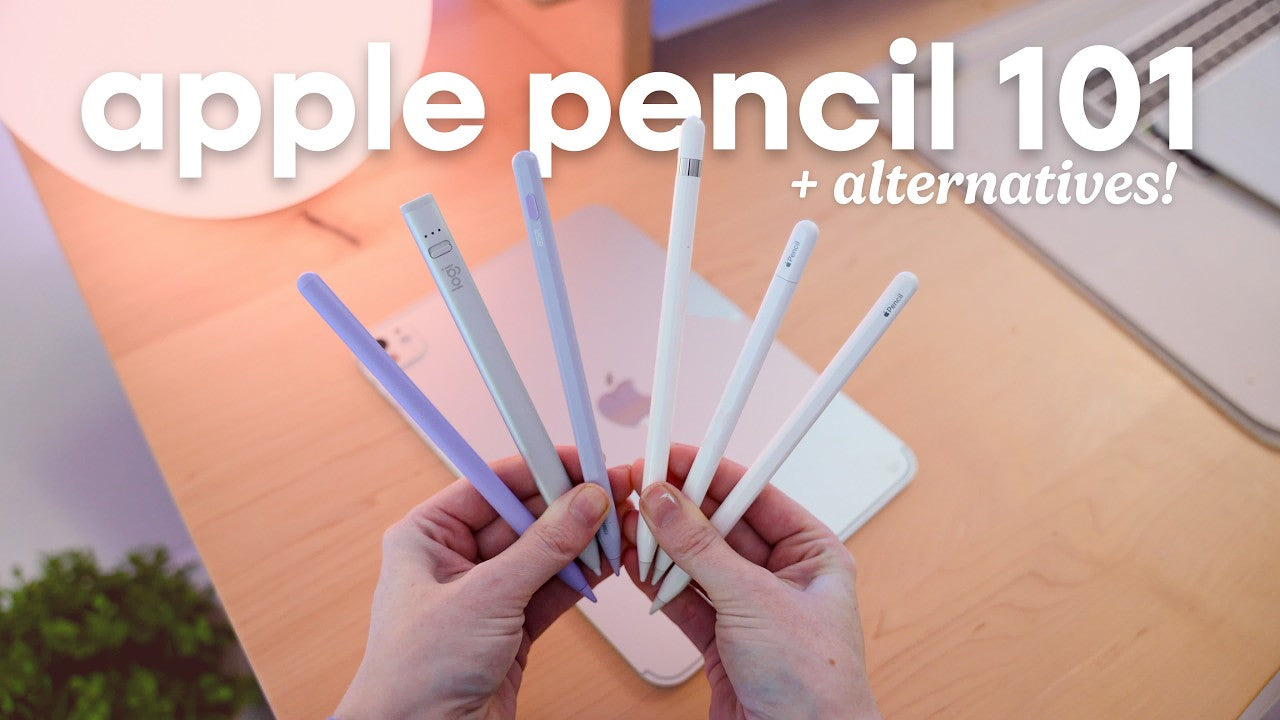
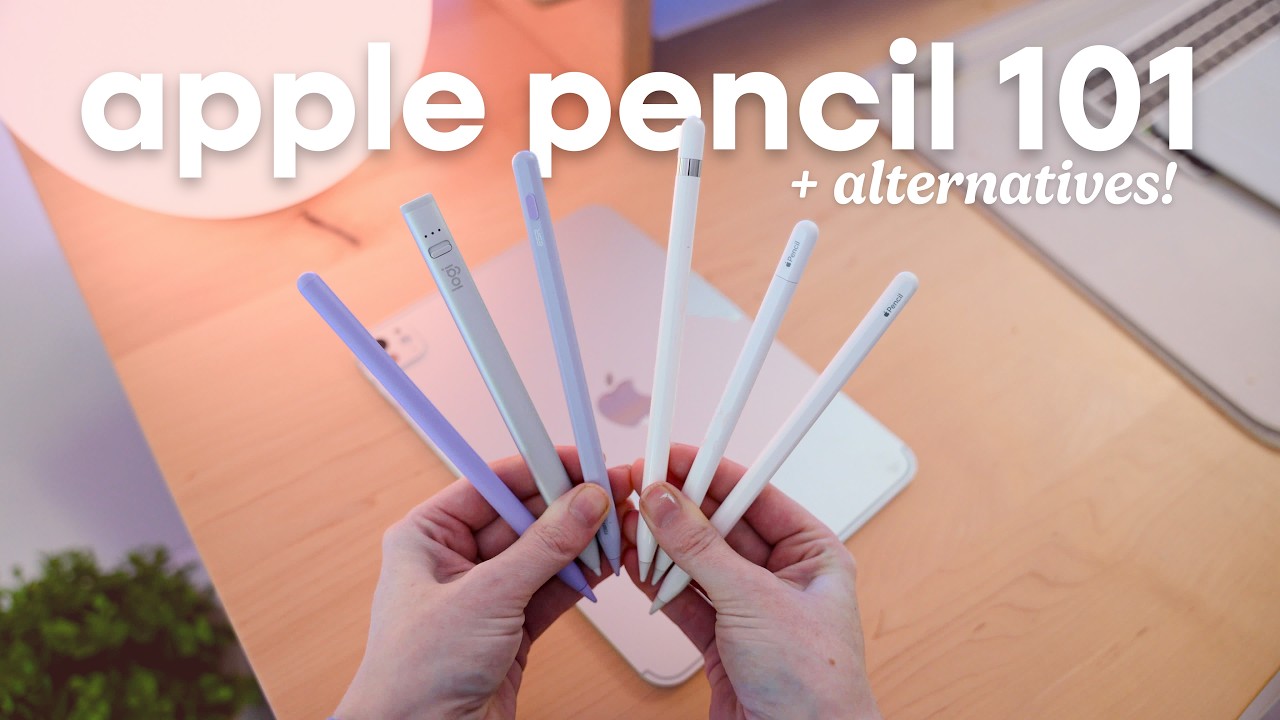
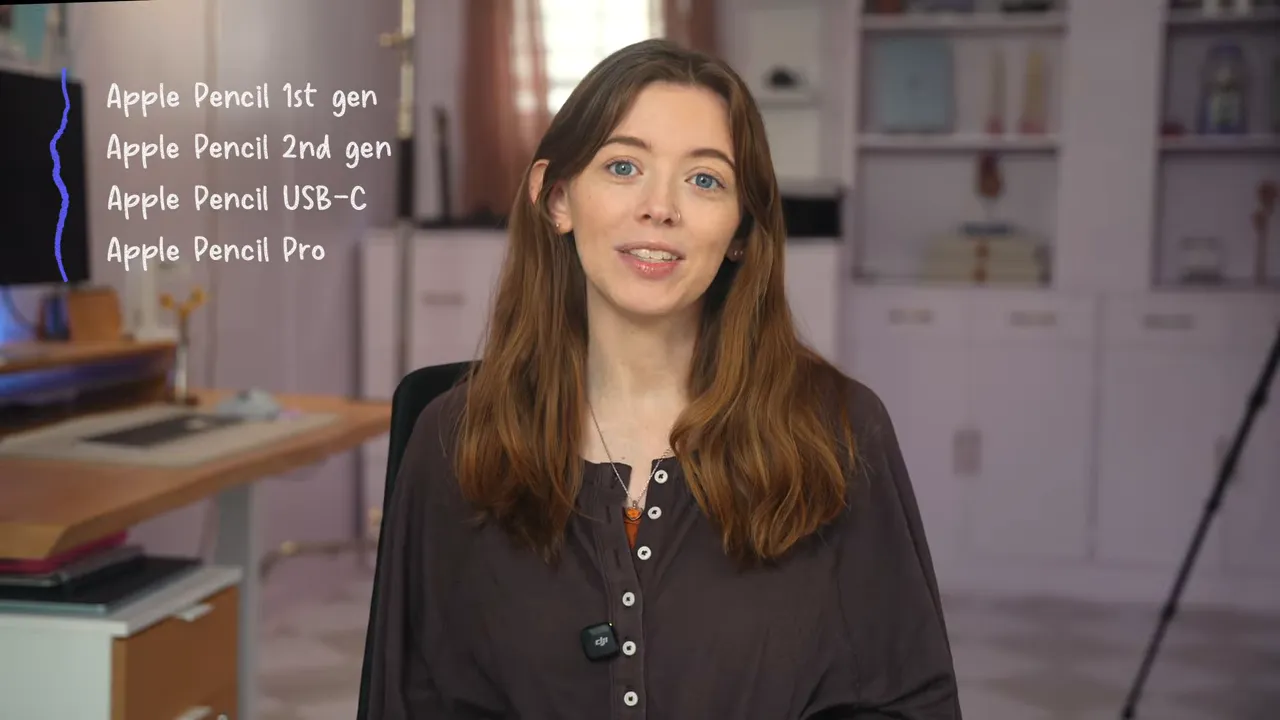
Right now, there are four different Apple Pencil models floating around: the 1st generation, 2nd generation, USB-C version, and Apple Pencil Pro. Then on top of that, there’s a growing pile of third-party options that all promise an Apple Pencil-like experience for much less money.
Some of those alternatives are actually pretty good. Some are not. And the right choice really comes down to three things:
- Your exact iPad model
- What you use the stylus for
- Your budget
If you start anywhere other than compatibility, you’re making this harder on yourself.
Apple’s current Pencil lineup, explained clearly
Apple currently sells four stylus options, and each one has a different mix of features, charging methods, and iPad compatibility.
That means the “best Apple Pencil” is not really one universal answer. The best one is the one your iPad supports and that actually fits how you use your iPad.
Apple Pencil 1st generation
This is the original Apple Pencil, and yes, it is still around.
It has the rounded glossy design with the removable Lightning cap and connector. It works with older iPads, but it also supports the iPad 9th generation and even the iPad 10th generation if you use the required USB-C adapter.
Feature-wise, it still has some genuinely important strengths:
- Pressure sensitivity
- Tilt sensitivity
- Low latency
- Apple’s excellent precision
That pressure sensitivity matters a lot for artists and for anyone who wants more natural line variation when writing or sketching.
The downsides are mostly about the design. The cap is easy to lose. Charging it by physically plugging it into the iPad is awkward. And if your iPad uses USB-C, the adapter situation just adds another little layer of annoyance.
There’s also the shape. The barrel is very rounded and slick, which some people won’t mind, but I personally do not love holding it for long sessions.
The Apple Pencil 1st gen is priced at $99.
Apple Pencil 2nd generation
This is where Apple really got it right for a lot of people.
The 2nd generation Apple Pencil introduced the flat edge, magnetic attachment, and wireless charging on the side of the iPad. No cap. No sticking it into a port. No adapter nonsense. It is simply a much better experience.
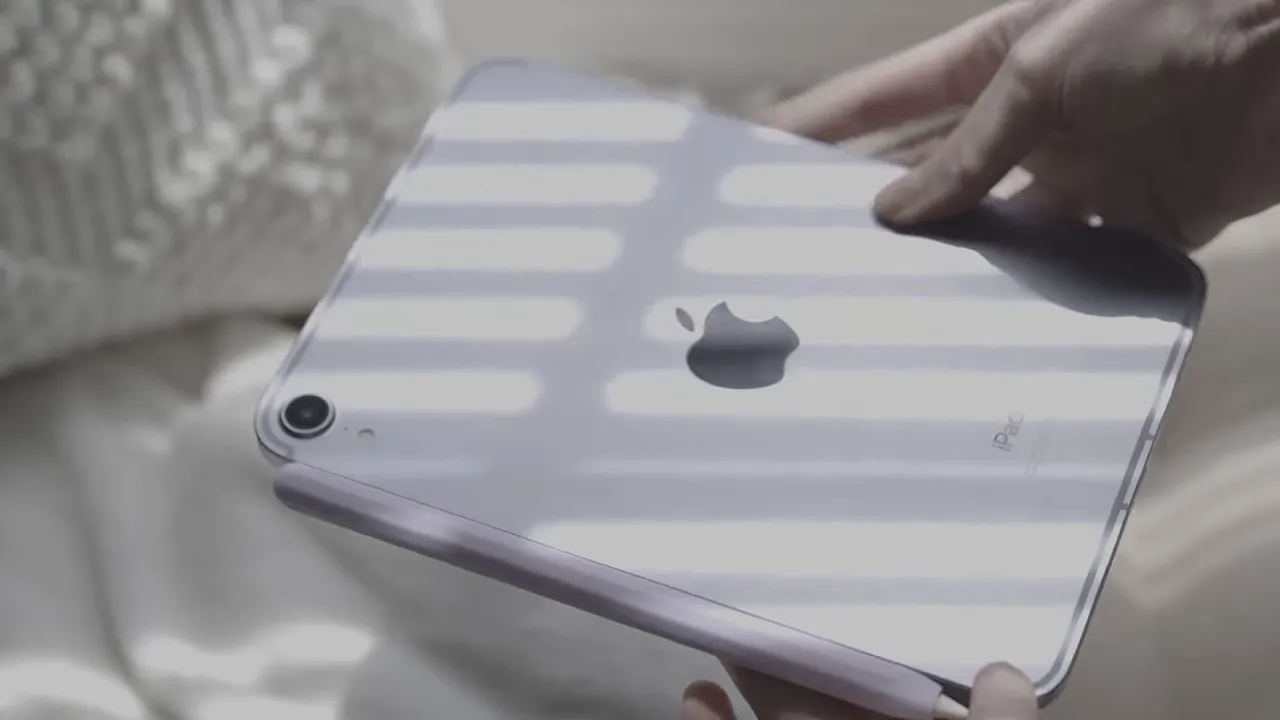
It also adds:
- Double-tap gesture for switching tools
- Pressure sensitivity
- Tilt sensitivity
- Hover support on compatible iPad Pro models
- Custom engraving if you want it
Hover is one of those features that sounds minor until you use it. It shows where your Apple Pencil tip is going to land before it actually touches the screen. I originally thought hover was kind of gimmicky too, but after using it in note-taking apps and Procreate, it became one of those features I really notice when it’s missing.
The 2nd gen Apple Pencil works with newer iPad Pro and iPad Air models, plus iPad mini models that support it. At $129, it has long been the sweet spot in the lineup if your iPad is compatible.
Apple Pencil USB-C
This is the weird one.
The Apple Pencil USB-C looks a lot like the 2nd gen model, but the feature set is a strange mix. It charges through a USB-C port hidden under a sliding top section. That means you are not dealing with the removable Lightning cap from the 1st gen, which is definitely an improvement, but it still does not charge wirelessly.
It does magnetically attach to the iPad for storage, just not for charging.
It includes:
- Tilt sensitivity
- Low latency
- Pixel-perfect precision
- Hover support on compatible iPad Pro models
What it does not include is the big one: pressure sensitivity.
That’s the part that makes this model a little frustrating, especially because the older 1st generation Pencil actually does have pressure sensitivity. So in a very Apple move, the cheaper newer Pencil drops one of the most important features for artists.
It’s priced at $79, making it the cheapest Apple Pencil sold directly by Apple.
Who is it for? If you mainly:
- take notes
- mark up PDFs
- annotate documents
- do basic handwriting without caring about line variation
Then the Apple Pencil USB-C is a solid budget-friendly Apple option.
If you do digital art or want a more natural pencil feel, the missing pressure sensitivity will probably be a deal-breaker.
Apple Pencil Pro
The Apple Pencil Pro is Apple’s newest and most advanced stylus, and it’s the one that makes the most sense if you have one of the newest compatible iPads.
On the outside, it looks almost identical to the 2nd gen Pencil. On the inside, it adds several new features that are actually useful.
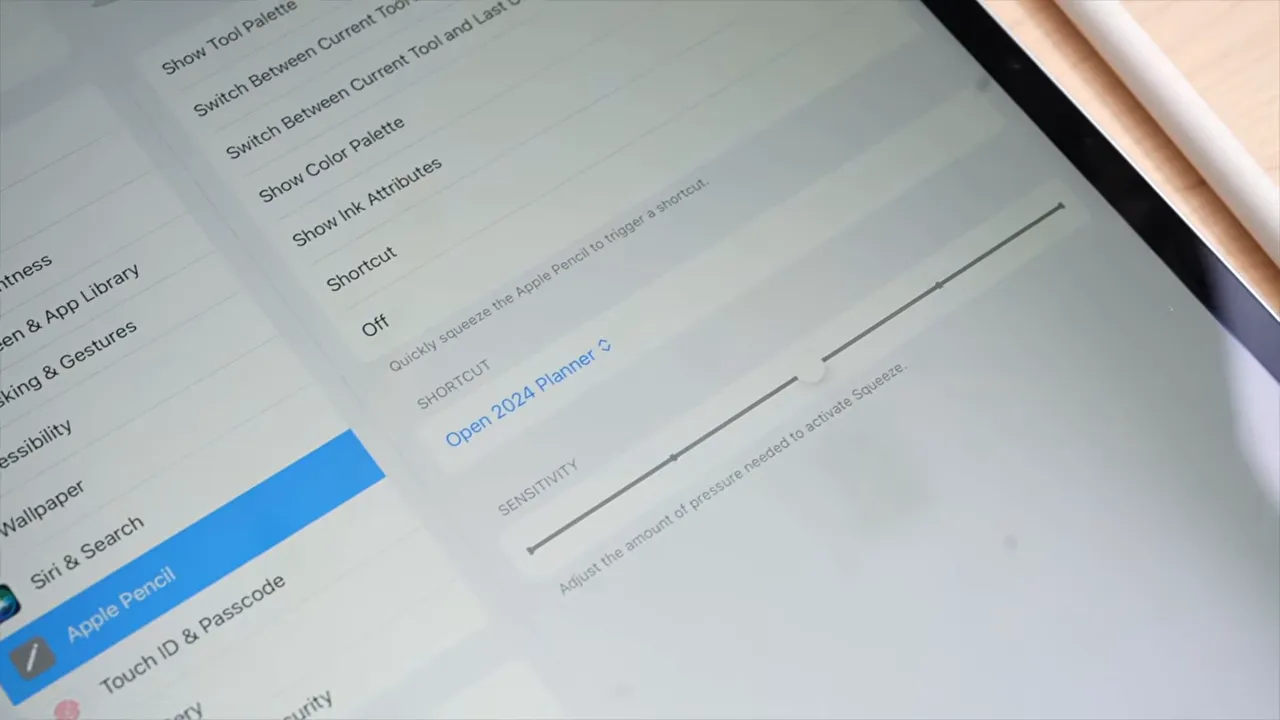
The Apple Pencil Pro includes:
- Squeeze gesture
- Barrel roll
- Pressure sensitivity
- Tilt sensitivity
- Hover
- Double-tap
- Wireless charging
- Find My support
- Haptic feedback
The squeeze gesture lets you pinch the barrel to bring up a contextual menu. Depending on the app, that can mean switching tools, adjusting line width, changing pen color, or even running shortcuts. It takes a little bit of getting used to, especially if you hold your Pencil lightly, but once it clicks, it’s really useful.
Barrel roll adds a gyroscope inside the Pencil, so rotating it changes the behavior of certain brushes and tools. This is especially valuable for digital artists, calligraphers, and anyone using specialty brushes in apps like Procreate. Personally, I don’t use this feature much, but if you come from a traditional art background, it could be a huge deal.
The hover effect is also enhanced, so you can better see exactly where and how the Pencil will interact with the screen before it touches down.
One more meaningful upgrade is Find My. If you misplace your stylus, being able to locate it is a genuinely practical improvement.
The Apple Pencil Pro is $129, the same price as the 2nd gen Apple Pencil, but it only works with newer iPad Air and iPad Pro models from 2024 and later.
If your iPad supports the Apple Pencil Pro, it is easily the best Apple Pencil in the lineup.
Quick Apple Pencil compatibility overview
This is the part that trips people up most often, so here’s the simple version:
- Apple Pencil 1st gen: older iPads, iPad 9th gen, and iPad 10th gen with adapter
- Apple Pencil 2nd gen: iPad Pro 2018 and later, iPad Air 2020 to 2022 and later-supported models, and iPad mini 6th gen and up
- Apple Pencil USB-C: same general range as 2nd gen, plus iPad 10th gen
- Apple Pencil Pro: 2024 iPad Air M2, 2024 iPad Pro M4, and newer compatible models
Always check your exact iPad model before buying. If you want a cleaner side-by-side breakdown, a dedicated Apple Pencil comparison chart is helpful, and Apple’s own compatibility guide is worth checking too.
Why third-party Apple Pencil alternatives are worth considering
Apple Pencils are excellent, but they’re also expensive, especially after you’ve already paid for the iPad itself.
And honestly, for a lot of people, the real question is not “Is Apple’s Pencil better?” Of course it is. The real question is whether it is better enough for your needs to justify the extra money.
If you’re a student, on a budget, or just trying digital note-taking without fully committing to Apple Pencil pricing, there are some third-party stylus options that get surprisingly close for much less.
ESR Geo Digital Pencil review
The ESR Geo Digital Pencil is one of the better Apple Pencil alternatives I’ve tested, and for the price, it’s honestly pretty impressive.
It costs around $35, depending on the color, which puts it at roughly a third of the cost of Apple’s cheapest Pencil.
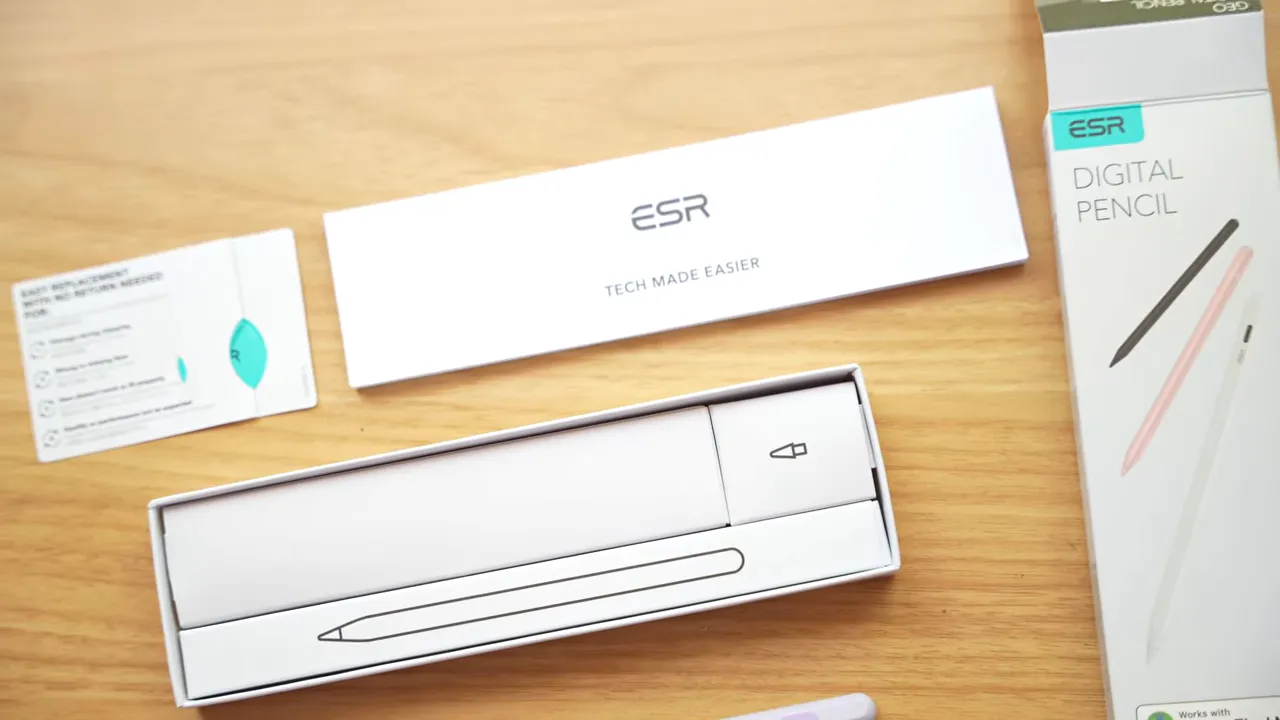
What comes in the box
- The pencil
- A USB-C to USB-C charging cable
- Three replacement tips
- Warranty and setup materials
I really appreciate the spare tips. Even though I’ve personally never worn through an Apple Pencil tip despite years of note-taking, I still like having backups included.
Setup and daily use
To connect it, you hold the button until the light turns blue, then pair it in Bluetooth settings. The setup is simple and takes almost no time.
The ESR Geo offers a lot for the money:
- Find My support
- Tilt sensitivity
- Palm rejection
- Magnetic attachment
- Battery indicator support in the iPad battery widget
That Find My support is a standout feature at this price. If you lose the stylus, you can make it play a sound and track it down more easily, which is genuinely useful.
Battery life has also been excellent in regular use. It lasts several days on a charge and recharges via USB-C in about 30 minutes.
There’s a top button that powers it on and off, but it also includes shortcut actions:
- Single tap: Home screen
- Double tap: Recent apps
I don’t find those shortcuts especially compelling because I can already do those things with my fingers faster and more naturally. They’re not bad, just not all that important to me.
What it’s missing
This is where the compromises show up.
- No pressure sensitivity
- No wireless charging
- No Apple Pencil hover
- No haptic feedback
It also feels lighter and more plasticky than Apple’s own Pencils, and the printed text on the barrel is not exactly pretty. The charging port plug also seems easy to lose.
Still, if your main use case is note-taking, planning, and casual drawing, the ESR Geo performs really well. Compared to the Apple Pencil USB-C, it delivers a very similar experience for far less money.
The biggest sacrifices are build quality, aesthetics, and the higher-end Apple-only features.
Meta Pen review
The Meta Pen sits in a similar price range to the ESR Geo, and while it has some nice ideas, I think it comes with more frustrating tradeoffs.
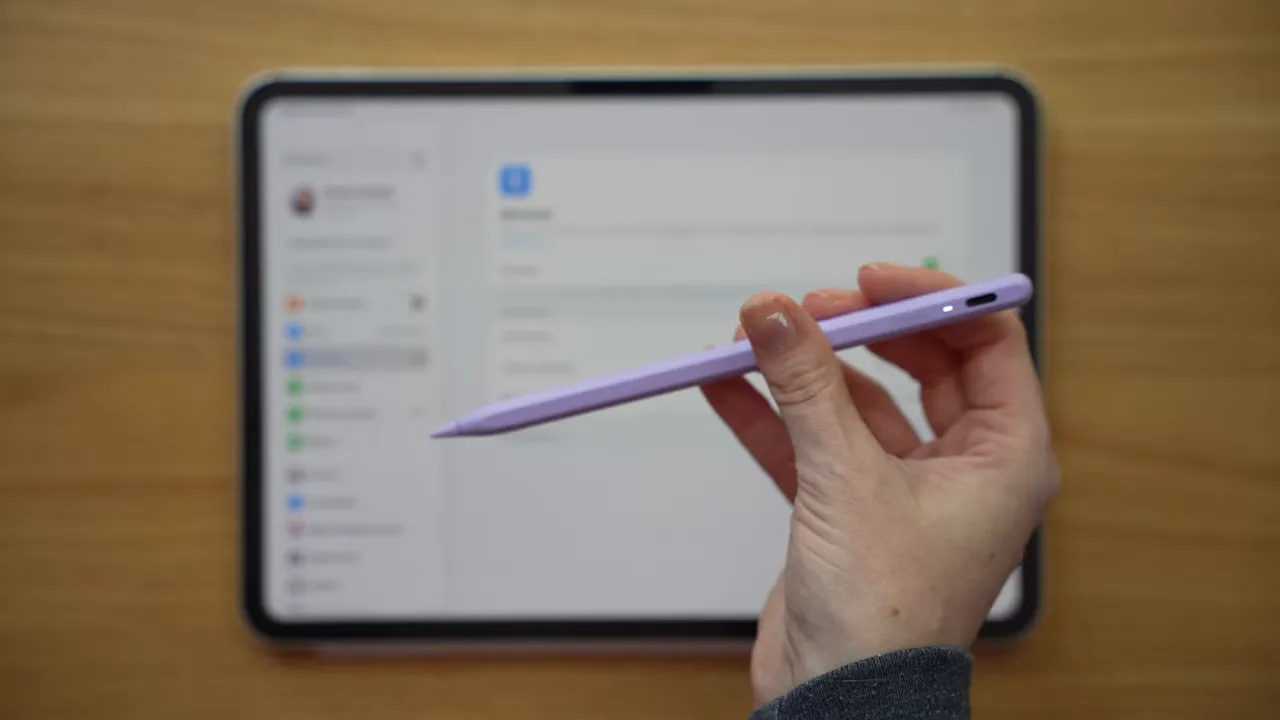
One thing I do like is the pairing experience. It connects automatically through Bluetooth without needing the same kind of manual setup as the ESR Geo. That was convenient.
It also includes:
- Two spare tips
- An LED indicator
- A touch-sensitive top control instead of a physical button
- Magnetic attachment to the iPad
But then there’s the charging cable issue, and this is where it loses me a bit. It ships with a USB-C to USB-A cable, which feels incredibly dated in 2026. I can’t just plug it directly into my iPad to charge it. I either need another cable or an adapter, and that is exactly the kind of friction I do not want from an everyday accessory.
It also seemed to have weaker battery life than the ESR in normal use, although that’s based on day-to-day experience rather than formal battery testing.
Like the ESR, the Meta Pen has:
- Tilt sensitivity
- No pressure sensitivity
- No hover
- No haptic feedback
The build quality also feels lightweight and a little cheap, and while the touch control works, I find a physical power button more intuitive.
It does not include Find My, which matters more than it might seem if you’re prone to setting your stylus down somewhere random and forgetting about it five minutes later.
Overall, the Meta Pen is decent. I just think the ESR Geo is the better buy in this category.
Why I wouldn’t recommend the Logitech Crayon
The Logitech Crayon is a very popular stylus, but I personally would skip it.
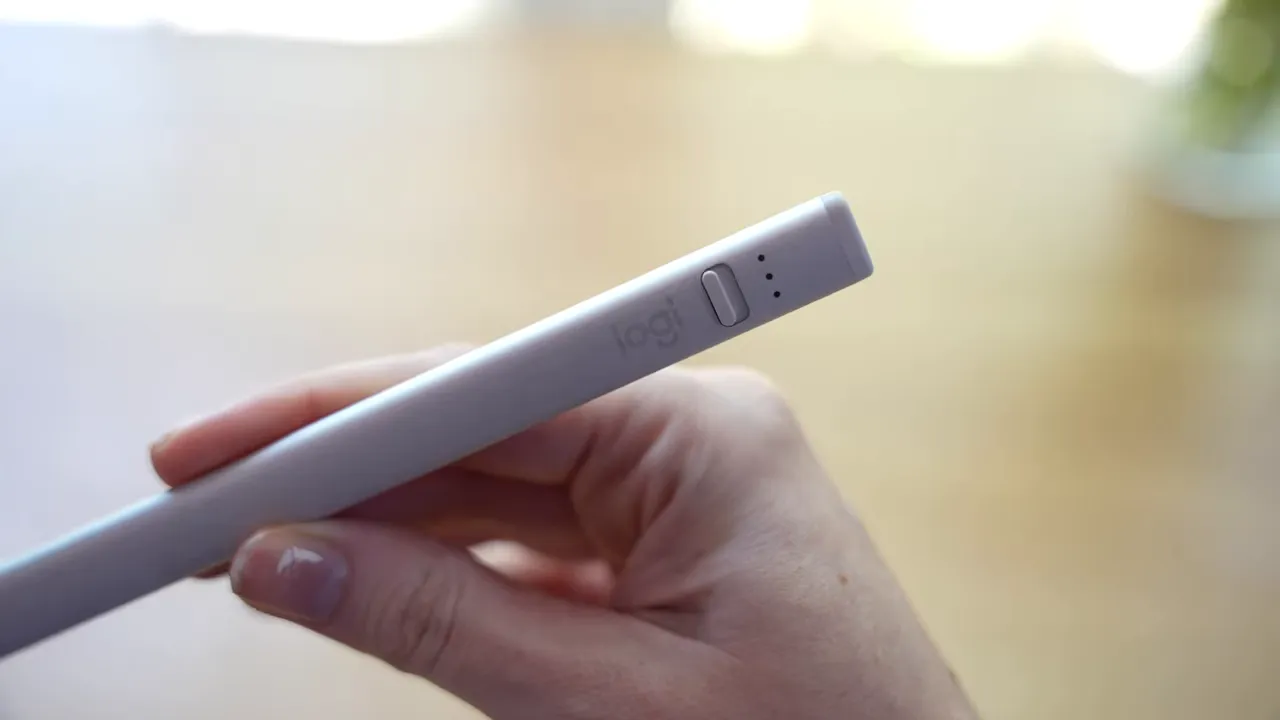
The biggest issue is the design. It’s bulky, uncomfortable, and just not pleasant for long writing sessions. The material and shape feel oddly chalky and metallic at the same time, and for me it creates a weird sensory experience that makes writing feel less enjoyable.
Other drawbacks:
- The tip is not interchangeable
- It uses a physical on/off switch
- The barrel design is not great for extended note-taking
At around $70, it lands in an awkward spot. For just a little more, I would rather buy the Apple Pencil USB-C and get a more polished first-party experience. If you want to spend less than that, I’d rather go with the ESR Geo.
The best Apple Pencil or stylus for each type of iPad user
If you have a 2024 iPad Air, 2024 iPad Pro, or newer
Get the Apple Pencil Pro.
It’s the same price as the 2nd gen Apple Pencil, and the extra features like squeeze, barrel roll, haptics, and Find My make it the obvious choice if your iPad supports it.
If you bought a premium iPad and plan to write, annotate, or draw with it regularly, this is the one that makes sense.
If you have an older iPad Pro, iPad Air, or iPad mini 6 and you do digital art
Get the Apple Pencil 2nd generation if that’s what your iPad supports. If you’re shopping among newer compatible options, get the Pro.
For artists, pressure sensitivity is non-negotiable. Wireless charging is also one of those quality-of-life upgrades that becomes hard to give up once you have it.
If you care about natural brush behavior, line variation, and a more refined drawing experience, this is not the place to cut corners.
If you mostly take notes and mark up documents
You can save some money here.
The Apple Pencil USB-C at $79 is a solid option if you want an Apple-branded stylus and don’t care about pressure sensitivity.
If you want to save even more, the ESR Geo Digital Pencil is a great value at around $35.
For pure note-taking, missing pressure sensitivity may not matter at all. In fact, if you usually write with a ballpoint-style pen tool, consistent line width can actually make your handwriting look neater.
If, however, you want your handwriting to look more organic and pencil-like, then you may still prefer a model with pressure sensitivity.
If you have an iPad 9th gen or an older iPad
Get the Apple Pencil 1st generation.
It’s your best Apple option, and importantly, it still gives you pressure sensitivity. The older your iPad gets, the harder it is to find a third-party alternative that feels truly worthwhile, so in this case I would rather just go with the 1st gen Pencil and keep the better feature set.
If you are on a tight budget or just testing digital note-taking
Try the ESR Geo Digital Pencil.
For about $35, it gives you most of what many people actually need from a stylus: reliable writing, palm rejection, magnetic attachment, tilt support, and Find My. That makes it one of the easiest recommendations in this entire category.
My overall take
The Apple Pencil lineup is more confusing than it should be, but the buying decision gets much easier when you go in this order:
- Check your iPad model first
- Decide which features you actually need
- Then set your budget
If your iPad supports the Apple Pencil Pro and you can afford it, that’s the best choice.
If you’re an artist, prioritize pressure sensitivity over almost everything else.
If you mostly take notes, you have more room to save money without giving up much.
And if you want the best budget stylus alternative right now, the ESR Geo is the standout.
If you want to make your writing setup even better, a good grip or sleeve can also help with comfort during longer sessions, and there are some nice Apple Pencil sleeve options worth looking at.
Share:
Apple Freeform Just Got Better
The ULTIMATE Noteful 2026 Tutorial: Everything You Need to Know