


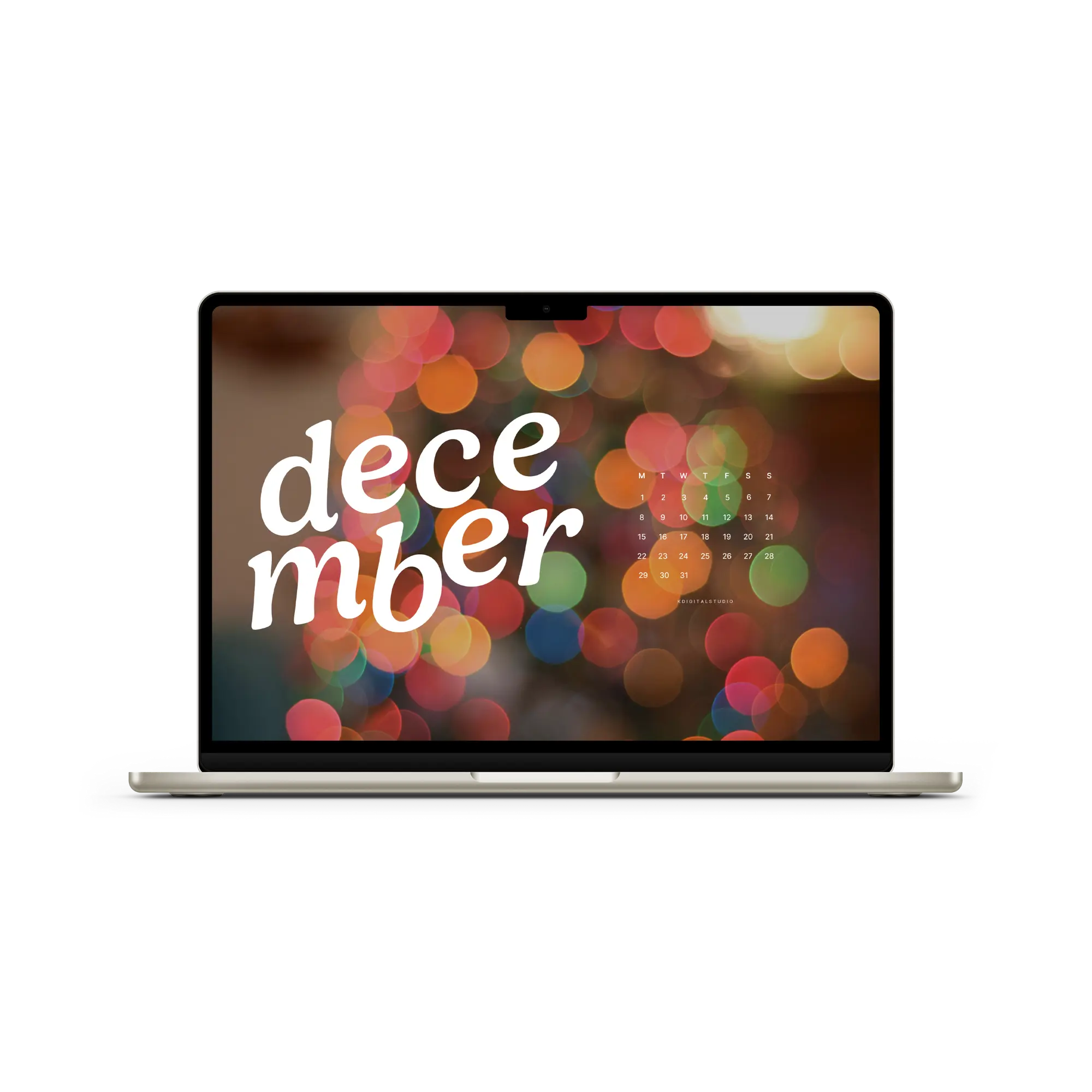
Welcome the wintry season with free December wallpapers
Thank you for all the excitement and kind words about the multiple 2026 digital planners I had! It means the world to me, and I am so happy you're here. ❤️ This month, I have wallpapers in various designs and different heading styles for both Monday and Sunday starts. Plus a calendar-free option for second monitors or if calendar wallpapers are your thing! I don't have phone or tablet-specific wallpapers this month, but desktop should still fit nicely with some adjustments. Hoping to have a slow end to 2026 when I go on my own holiday break, so should hopefully see tablet and phone options back again next month!
🎄 Here’s the full folder of all the wallpapers! But keep scrolling to get a peek at this month's wallpaper collection. Keep scrolling if you'd like a peek at the designs first!
📥 How to Download Your Wallpapers
Scroll through the collection, pick the ones that catch your eye, and tap the link to download your preferred sizes. Save the image to your device and set it as your background—it’s that simple.
💡 On a Mac? Create a folder of your faves and set them to rotate. Go to System Settings > Wallpaper and shuffle them throughout the month!
🍂 Featured December Wallpapers
This month I took a different approach and am offering 8 different backgrounds with four different styles: numbered, sans-serif, serif, and large headings. That means you'll be able to choose your favorite heading style and then choose from any of the 8 different backgrounds. Here's a peek at the heading styles below.
Heading Styles
Numbered

Sans-Serif

Serif

Large

Let me know what you think of these headings! 😆 Alright now, let's take a look at the designs this month. Keep in mind, you can choose any of the headings from above.
The Designs


🗓 When Do New Wallpapers Drop?
You’ll find fresh backgrounds posted a few days before each new month — just in time to reset your screens. Stay tuned here or sign up for the newsletter so you never miss a new collection.
📸 Tag & Share Your Setups
Loving how your device looks with a fresh December background? Tag me on Instagram @kdigitalstudio so I can see and share your styled screens. I always love seeing your setups!
Share:
November 2025 Wallpapers
February 2026 Wallpapers
3 comentarios
I’ve been stalking your page for January 2026 wallpaper! I loved my December one so much! It’s still on my locked screen. 🤭
Hi Tricia! The blank options for the wallpapers (that don’t have a calendar) would be a perfect use-case as a virtual background :) You’ll find them inside the folder as well!
I love switching up my wallpaper! I tried using one as a virtual background, but people were distracted trying to read the calendar behind me. They thought it would be convenient in the top corner. I was only hoping to be festive, but thought I’d pass the the thought along.