

Your free digital planner starter kit
Everything you need to try digital planning, free. Pick your planner, grab your stickers and templates, and I'll walk you through how to use it all.
Make it yours
Choose your planner, then pick the stickers and templates you want. Your downloads are waiting at the end.
Choose your planner
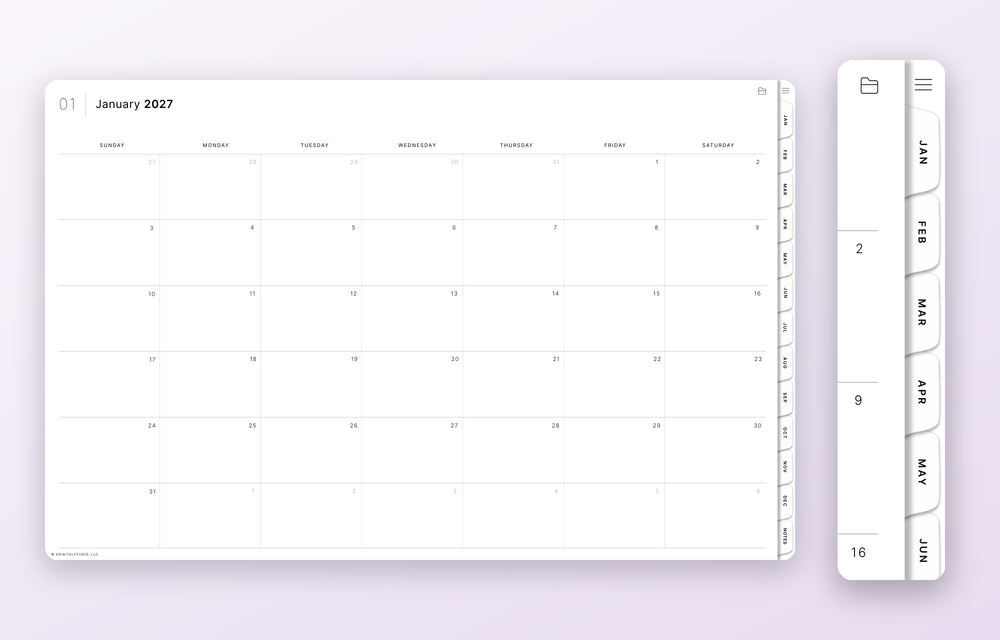
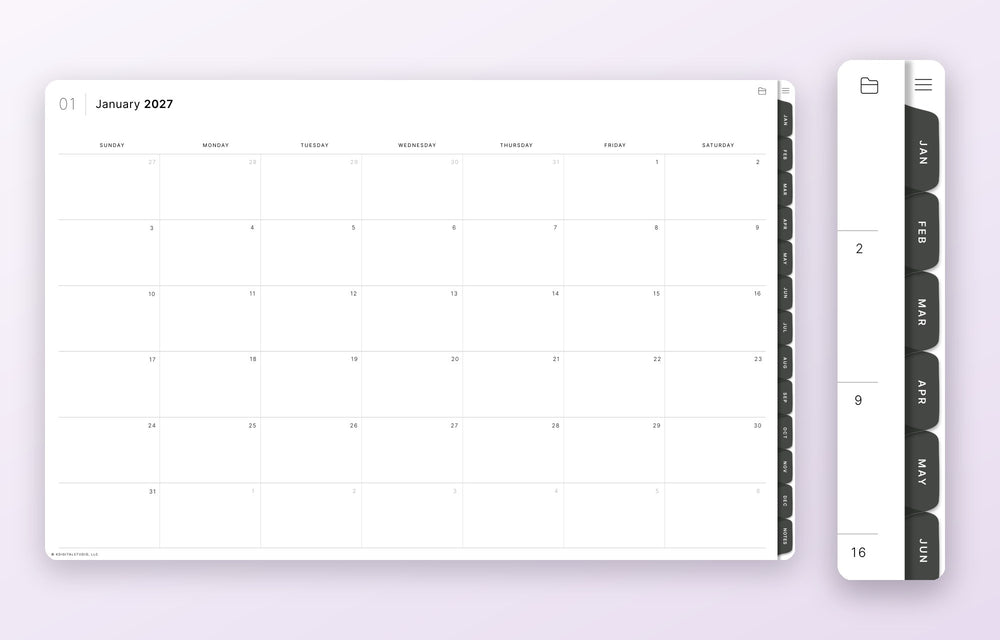
Your 2027 planner is hyperlinked, so you can tap a tab to jump to any month. Pick the week start and tab color you like best.
Frost tabs are light. Night tabs are dark. The planner pages are the same.
Stickers
Digital stickers work just like real ones, except you can reuse them forever.
Templates
Templates and inserts are extra pages and layouts you can add to your planner wherever you want them.
Your starter kit is ready
Tap each button to download. On an iPad, your files save to the Files app.
What is a digital planner?
It's a planner you use on a tablet instead of paper. You write in it by hand, tap tabs to flip between pages, and decorate it however you like.
It's a PDF you write on
You open it in a note-taking app and write with a stylus or your finger, just like paper.
Tap to jump anywhere
Hyperlinked tabs take you straight to any month, week or notes page. No flipping.
Decorate and customize
Add digital stickers, swap in templates, and move things around until it fits how you plan.
Never run out of pages
Duplicate any page, erase and start over, and reuse your stickers as many times as you want.
- A tablet, like an iPad, and a stylus, like an Apple Pencil
- A note-taking app that opens PDFs, like GoodNotes or Noteful
- Your free starter kit from this page
Set up in four steps
Build your kit
Choose your week start and tab color, then pick your stickers and templates.
Import your planner
Open the PDF in GoodNotes, Noteful or your favorite note-taking app.
Import guide →Learn as you go
Short, beginner-friendly guides for everything in your kit.
Good questions
Is the starter kit really free?
Yes. The planner, stickers and templates on this page are free to download and use.
Which apps does it work in?
Any PDF annotation app with hyperlink support, like GoodNotes, Noteful, Notability and Samsung Notes.
Do I need an iPad?
No. An iPad with an Apple Pencil is the most common setup, but any tablet with a PDF annotation app and a stylus works.
Should I pick Monday or Sunday start?
Pick the day your week feels like it starts. If you change your mind, come back and download the other version.
How is this different from your full planners?
The starter kit is a simple planner for learning the basics. The full planners add more layouts, pages and extras for when you're ready for more.
Ready for more?
When you want more layouts, pages and extras, the full 2027 planners are here for your next step.