

Halloween might be the single most fun holiday to decorate a digital planner for — there's just so much room to play, whether your style leans cute, spooky, retro, or somewhere in between. If you're trying to figure out which sticker set actually fits your planner's vibe this year, here's the full rundown of what's available and who each one is really for.
Sweet, not spooky: Hearth & Hollow
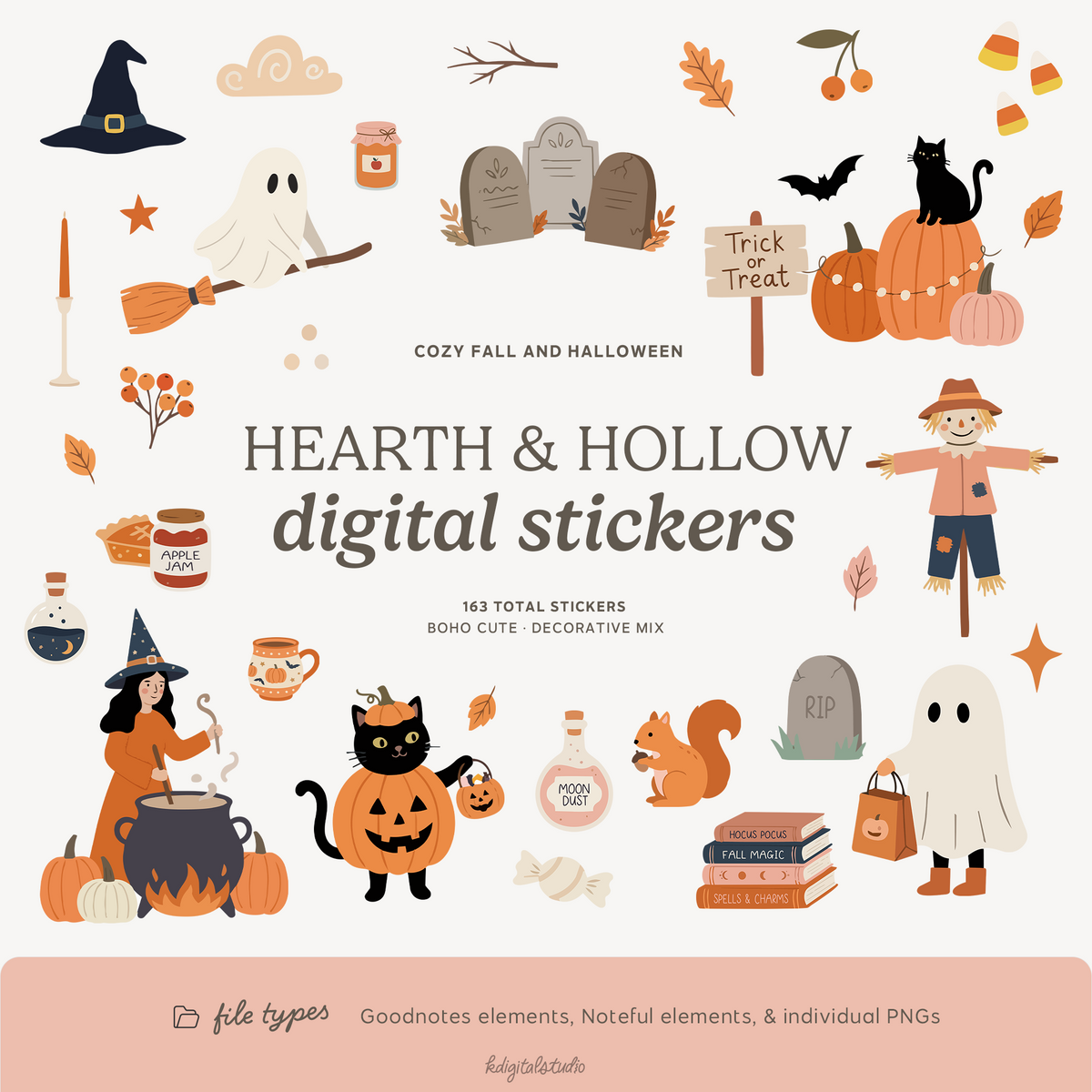
Hearth & Hollow is the newest set in the shop, and it's built for anyone who wants Halloween without the horror — a boho-cute style with warm, witchy motifs that feel more cozy autumn evening than haunted house. If your planner aesthetic is soft and warm year-round, this is the set that'll feel most like an extension of your existing spreads rather than a seasonal detour.

Functional and coordinated: Autumn Gingham
Autumn Gingham is technically a fall set rather than strictly Halloween, but it deserves a mention here because it's the set to grab if you want your whole planner coordinated for the season — 203 stickers in a warm gingham palette that includes functional labels, not just decorative icons. This is the one to reach for if you want fall to feel cohesive across every page, Halloween spreads included.
Sketchy and hygge: Sketchy Autumn
Sketchy Autumn brings a hand-drawn, sketchy feel that works equally well for Halloween, Thanksgiving, or just general fall decorating. If you don't want to buy a separate set for every fall holiday, this is the most versatile pick on the list — 88 stickers that carry you from October through November without feeling out of place.
Punny and playful: the classic Halloween pick
If your planner style is more playful than moody, the witty, punny Halloween sticker set is built entirely around lighthearted Halloween humor — the kind of stickers that make you smile while you're filling in your week, not just decorate it.
Retro and bold: Retro Halloween
Retro Halloween is the one to grab if your aesthetic leans maximalist — hot pinks, oranges, disco balls, and dancing skeletons for a vintage-party take on the holiday rather than a traditional spooky one. This set stands out even in a small sticker collection, so a little goes a long way.

Functional dates: Halloween Date Dots
Beyond the decorative sets, don't overlook a functional date-number sticker set for the month — these are the unglamorous workhorses that actually help you navigate your calendar pages, while still keeping the Halloween theme consistent instead of using generic numbers that clash with everything else.
Mystical and moody: Mystical Digital Stickers
For a witchy, supernatural aesthetic with noisy gradients and a moodier color story, the mystical sticker set leans further into the "spooky" end of Halloween than most of the others on this list — a good pick if cute isn't really your planner's personality.
How to pick without overbuying
You genuinely don't need five Halloween sticker sets to have a great planner month. Pick one that matches your existing aesthetic (cozy → Hearth & Hollow or Sketchy Autumn, bold → Retro Halloween, playful → the punny set, moody → Mystical), add a functional date set if you don't already have fall numbers, and you're set for the whole month without a cluttered collection you'll never fully use.
Looking for more ways to set your planner up for the season? Check out the full fall digital planner refresh guide.

Teilen:
Fall Digital Planner Refresh: Cozy Stickers, Reflection Prompts & Reading Goals
How to Build a Slow, Cozy Digital Planning Ritual This Season