


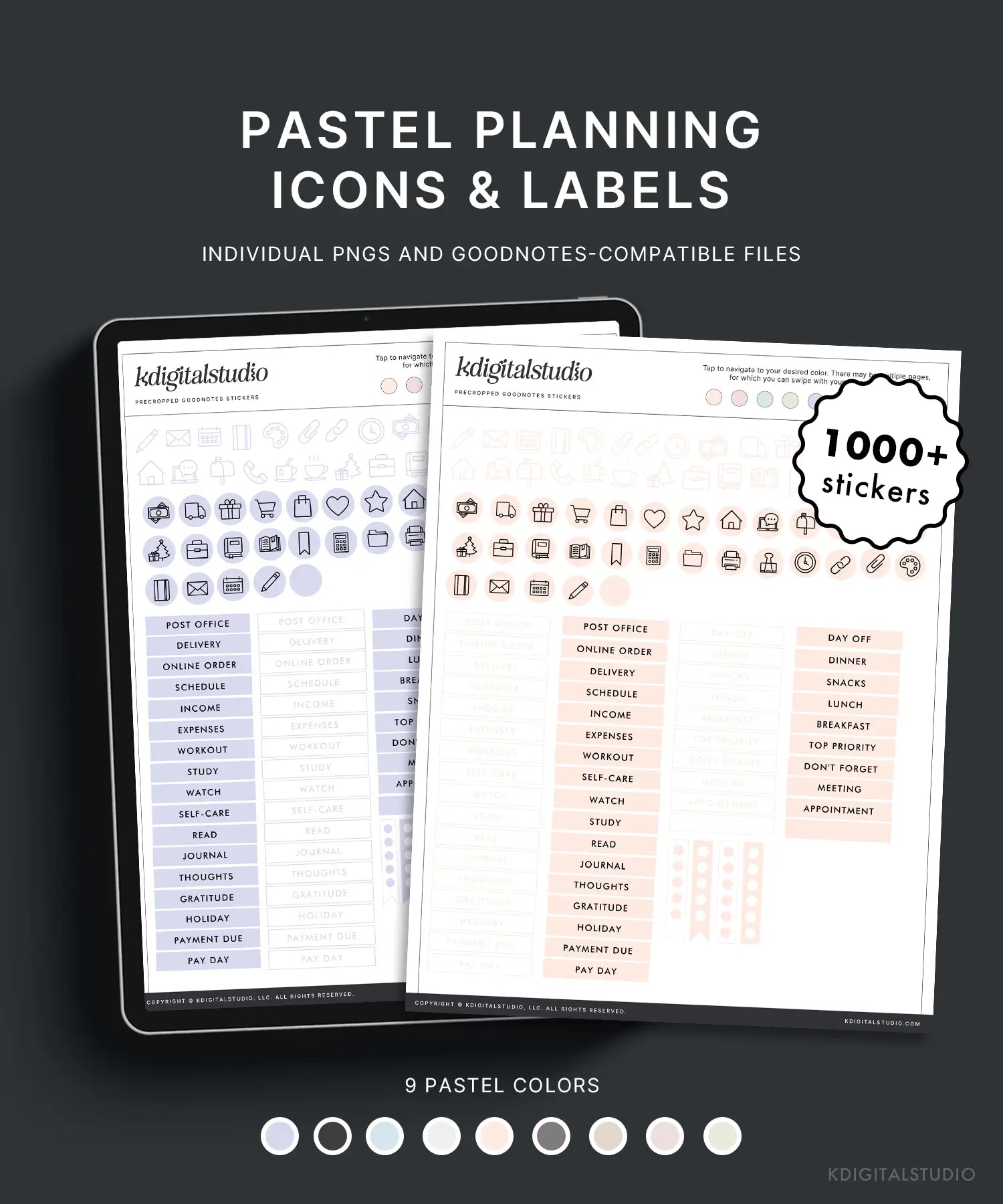
Pastell-Planungssymbole & Etiketten
Dies ist ein digitaler Download. Es werden keine physischen Artikel versandt. Nach dem Kauf erhalten Sie einen Link zum Herunterladen Ihrer Datei(en). Rückerstattungen oder Umtausch sind nicht gestattet.
Erhalten Sie Ihre Dateien sofort nach dem Kauf
Mehrere Dateitypen enthalten
Häufige Updates
Passt gut zu
Pastell-Planungssymbole & Etiketten
Wenn Sie eine kurze Frage haben, sind Sie hier genau richtig. Die meisten Fragen werden unten beantwortet – und wenn nicht, helfen wir Ihnen immer gerne weiter.
-
Kundenbetreuung
Wenn etwas nicht wie erwartet funktioniert – Downloads, Dateien oder die App-Einrichtung –, helfen wir Ihnen gerne weiter. Bitte rechnen Sie mit einer Antwort innerhalb von bis zu 72 Geschäftsstunden und geben Sie, falls vorhanden, Ihre Bestellnummer an, damit wir Ihnen schneller helfen können.
-
Häufig gestellte Fragen
Sie fragen sich, wie digitale Sticker funktionieren, mit welchen Apps sie kompatibel sind oder wie man sie herunterlädt? Unsere FAQs beantworten die häufigsten Fragen zur Verwendung digitaler Sticker auf dem iPad.
-
Kontaktieren Sie uns
Benötigen Sie noch Hilfe oder haben Sie eine Frage vor dem Kauf? Senden Sie uns eine Nachricht und wir werden uns während der Geschäftszeiten so schnell wie möglich bei Ihnen melden.
Produktdetails
Pastell-Planungssymbole & Etiketten
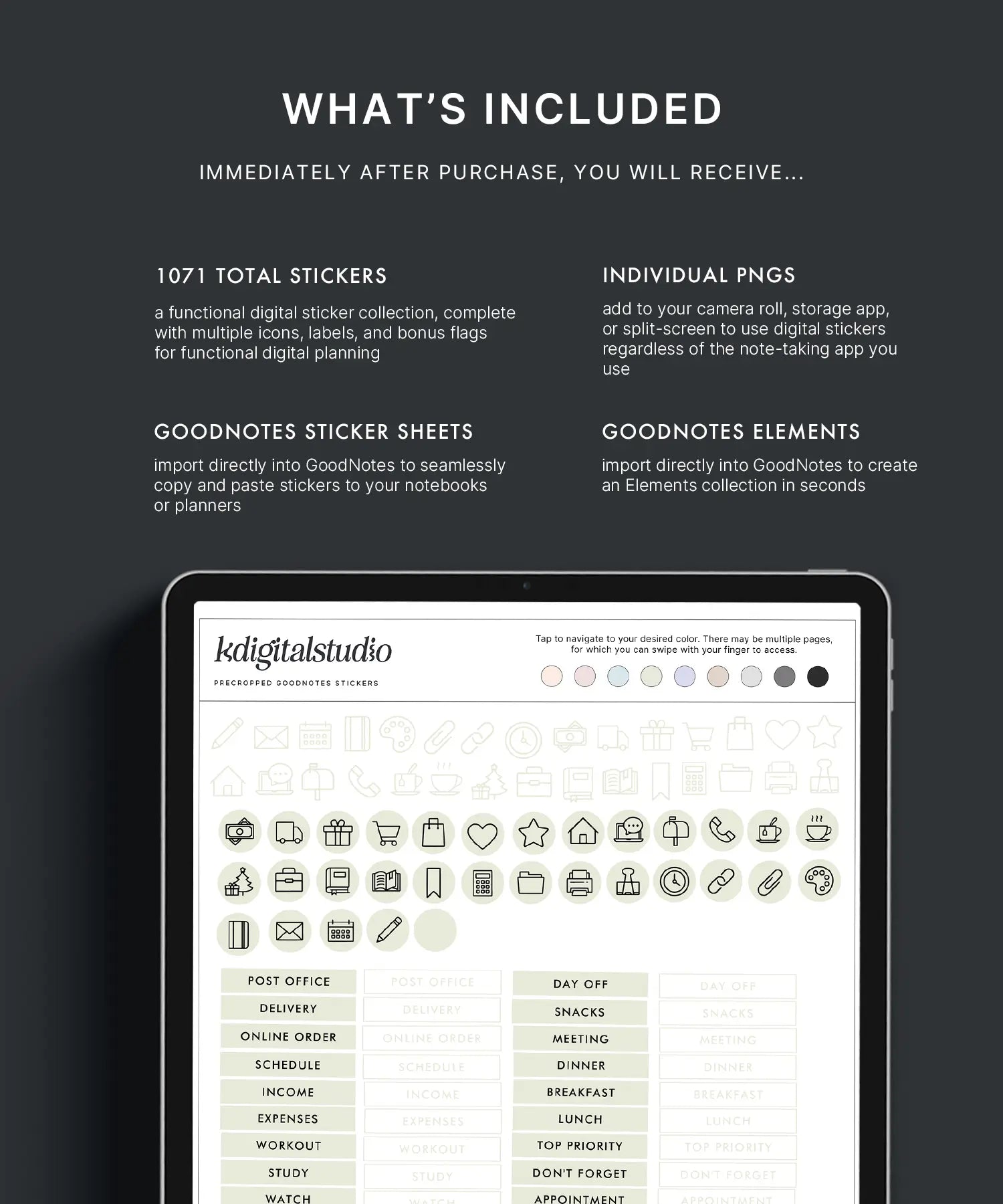
Was ist inbegriffen?
Dateitypen
◦ Einzelne PNGs
◦ Goodnotes-Elemente
◦ Noteful-Elemente (wird ausgerollt)
Häufig gestellte Fragen
Weitere Informationen finden Sie auf unserer Seite Hilfebibliothek.
Was sind digitale Sticker?
Digitale Sticker sind wiederverwendbare Grafikelemente, die für digitale Planer und Notiz-Apps entwickelt wurden. Anstatt sie wie physische Sticker abzulösen und aufzukleben, können Sie sie auf Ihrem iPad beliebig oft ziehen, ablegen, in der Größe ändern und wiederverwenden.
Mit welchen Apps kann ich digitale Sticker verwenden?
Unsere digitalen Sticker funktionieren mit den meisten iPad-Notiz-Apps, die Bilder unterstützen, darunter GoodNotes, Noteful, Notability und Noteshelf. Die App-Kompatibilität wird immer auf jeder Produktseite aufgeführt.
Funktionieren digitale Sticker auf dem iPhone oder Mac?
Digitale Sticker sind hauptsächlich für die iPad-Nutzung mit Apple Pencil konzipiert. Obwohl Sie sie möglicherweise auf anderen Geräten ansehen oder platzieren können, ist das beste Erlebnis auf dem iPad.
Wie lade ich meine digitalen Sticker nach dem Kauf herunter?
Nach dem Checkout erhältst du sofort und per E-Mail einen Download-Link. Entpacke die Datei nach dem Download und importiere die Sticker gemäß der beiliegenden Anleitung in deine bevorzugte App.
Wie oft kann ich die Aufkleber verwenden?
Sie müssen sich nie Sorgen machen, einen Sticker zu „verschwenden“! Einmal gekauft, können Sie Ihre digitalen Sticker unbegrenzt oft für den persönlichen Gebrauch in Ihren Planern und Notizen verwenden.
Kann ich die Sticker in der Größe ändern oder neu einfärben?
Alle Sticker können frei skaliert, gedreht und dupliziert werden. Es handelt sich nicht um Farbwechsel-Sticker, sofern in den Produktdetails nichts anderes angegeben ist.